Mining Miner
avec Skollheim
Jeu de minage incrémental en 2D, disponible sur Steam.
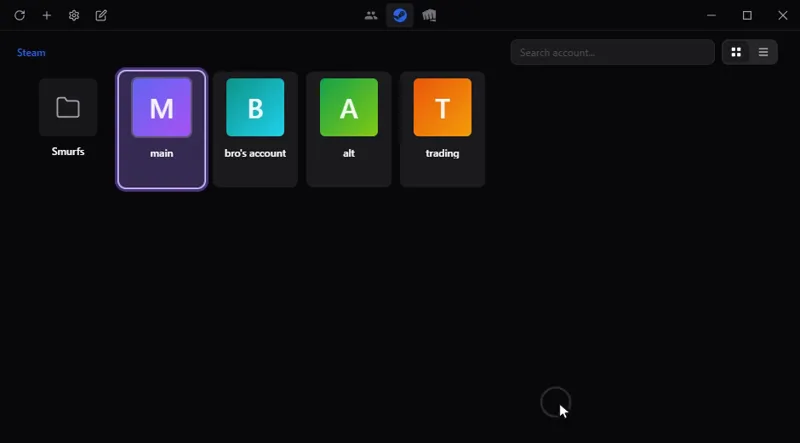
Passez d'un compte de jeu à l'autre en un clic, sans mot de passe enregistré : Steam, Riot, Battle.net, Epic et d'autres. Sur Windows, macOS et Linux.
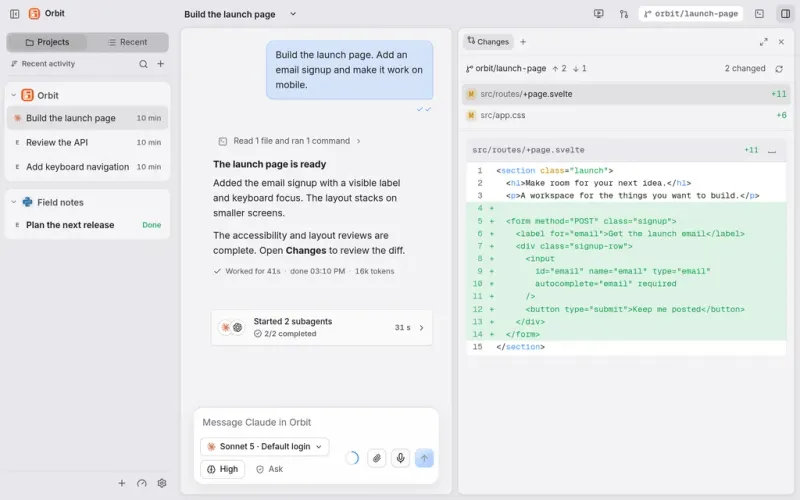
Tout votre travail et vos agents IA au même endroit : Claude Code, Codex et d'autres dans une seule fenêtre de discussion, sur l'ordinateur et depuis le téléphone.
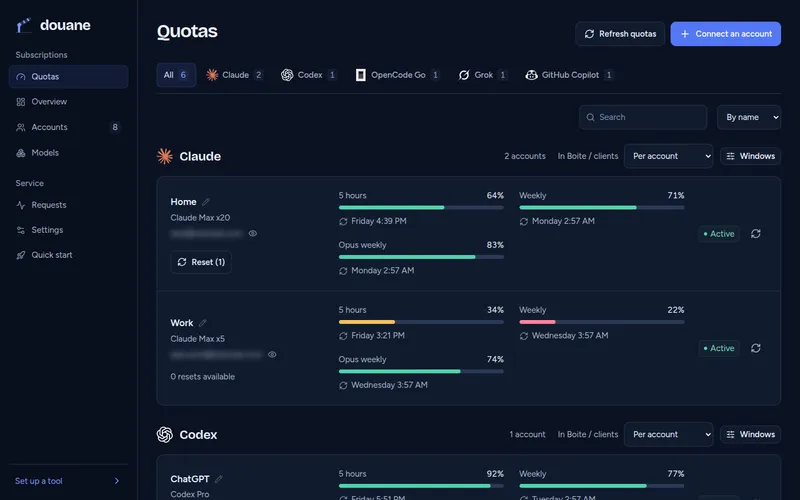
Pour les développeurs : utilisez tous vos abonnements IA dans n'importe quel outil de code, par un seul serveur chez vous qui suit le quota de chaque compte.
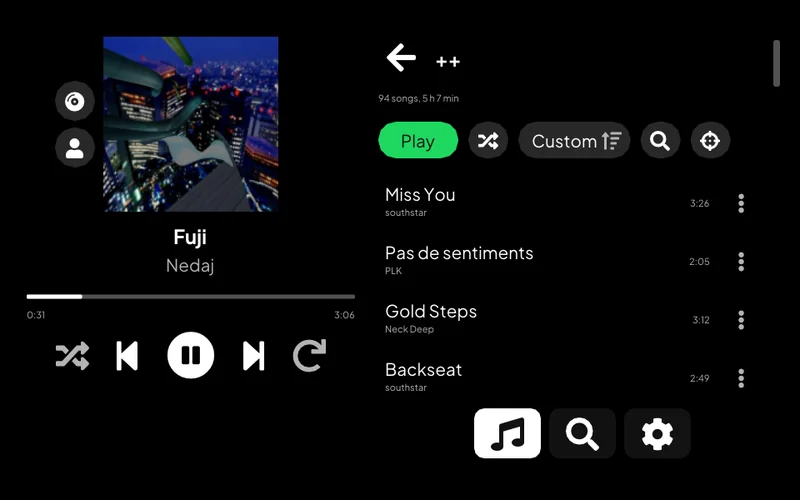
Écoutez Spotify sur une PS Vita : votre bibliothèque, la recherche, les pages d'artiste et Spotify Connect.
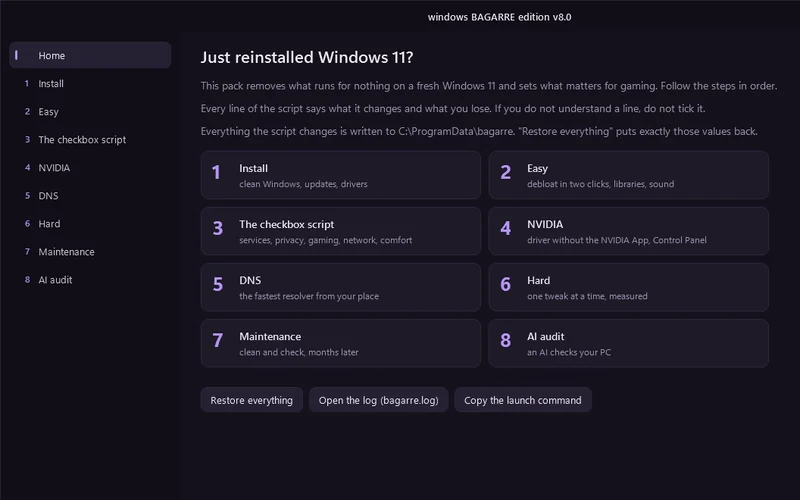
Une fenêtre qui nettoie un Windows 11 tout juste installé et le règle pour le jeu.
Pour les développeurs : choisissez quel assistant de code IA lancer, avec quel service et quel modèle, depuis un menu du terminal, ou laissez une roulette choisir.
Permet à un assistant IA de travailler sur un ordinateur distant : lancer des commandes, transférer des fichiers, prendre des captures d'écran.
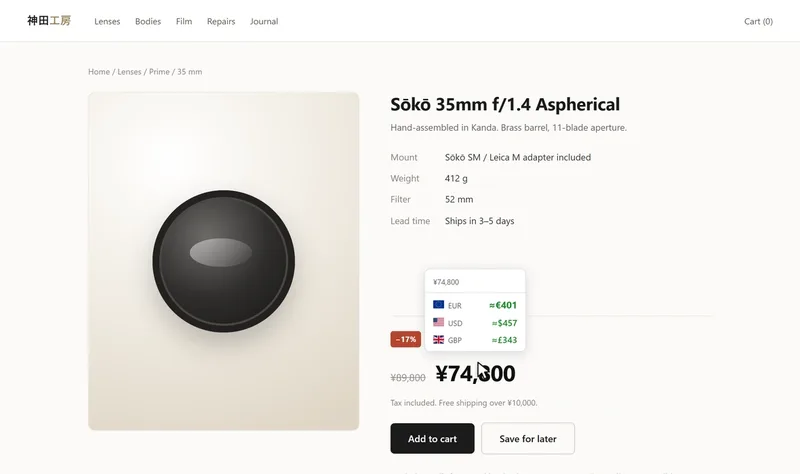
Voyez un prix d'une page web dans une autre devise ou en cryptomonnaie : au survol, à la sélection ou directement dans la page. Chrome et Firefox.
Pilotez une alarme de maison Meian depuis un téléphone Android, par SMS.
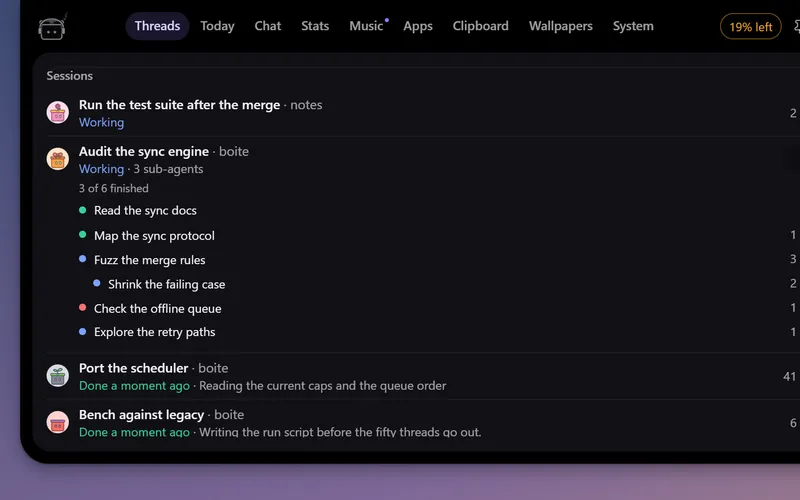
Un petit robot en haut de l'écran qui suit vos agents Boite, vous prévient quand l'un d'eux a besoin de vous et vous laisse répondre sans ouvrir Boite.
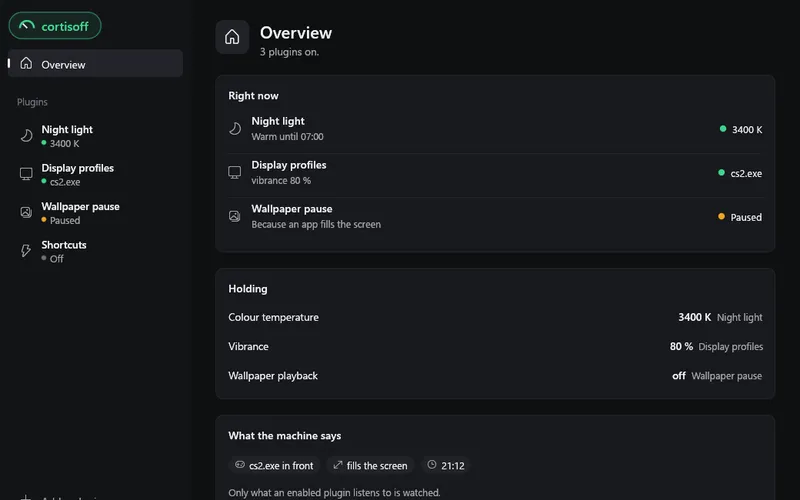
De petits modules pour votre bureau : lumière du soir, fréquence d'écran et vibrance pour chaque jeu, raccourcis. Sur Windows, Linux et macOS.
appli PS Vita
Écoutez Spotify sur une PS Vita : votre bibliothèque, la recherche, les pages d'artiste et Spotify Connect.
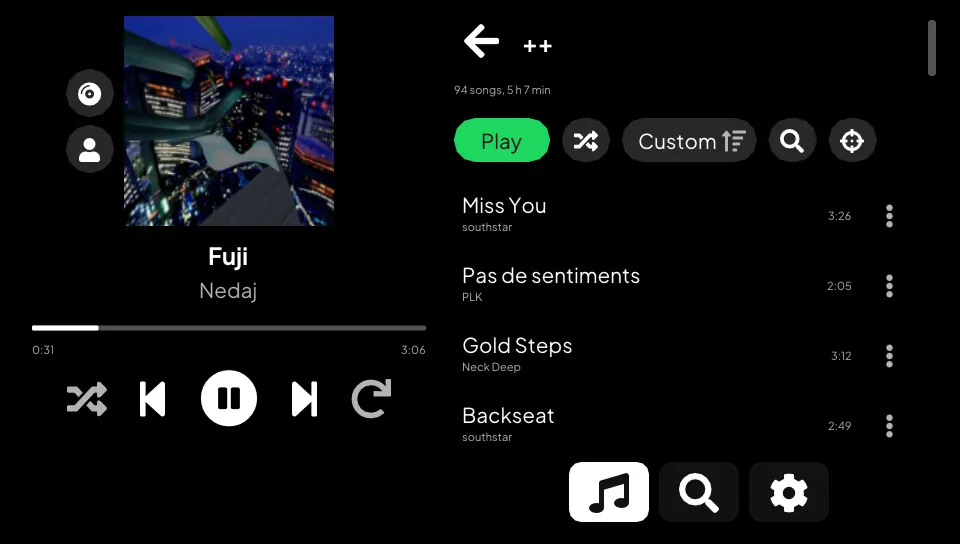
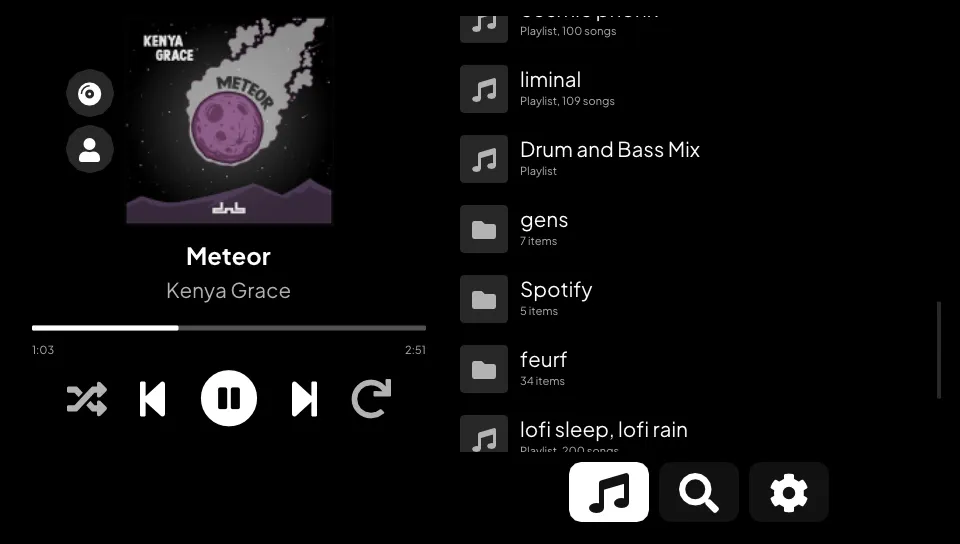
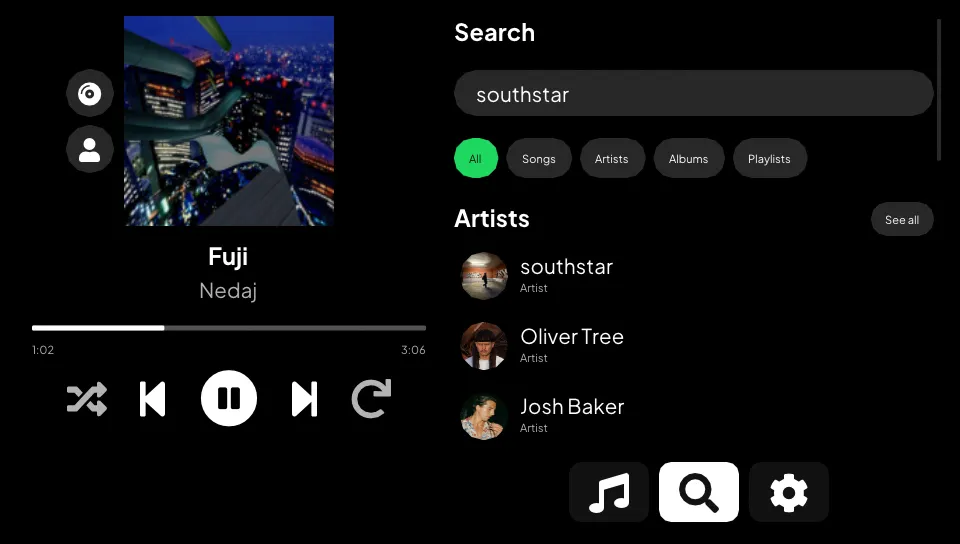
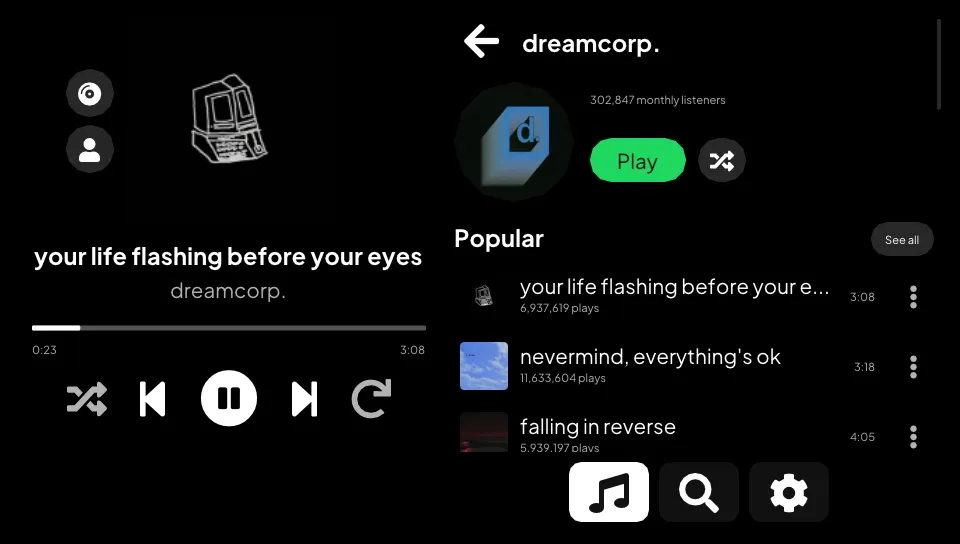
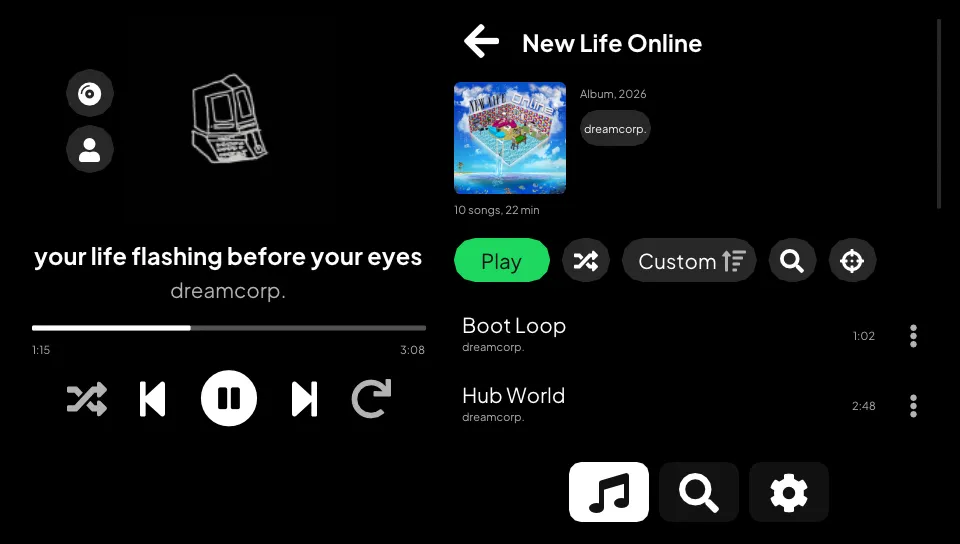
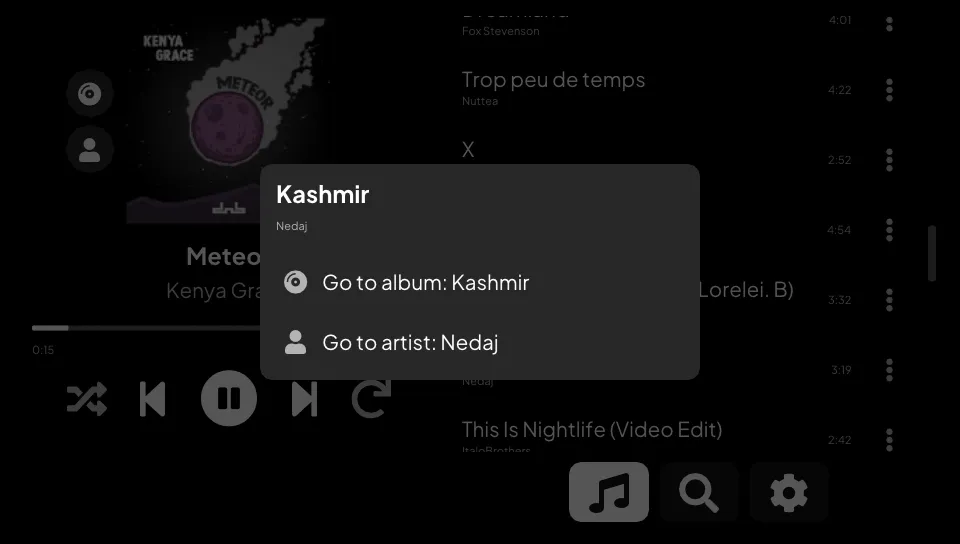
A Spotify player for the PS Vita. Open your playlists, search, browse artists and albums, and play it all on the console. Your phone can also pick the Vita as a speaker from the Spotify app.
It needs Spotify Premium. Spotivita started as a fork of cspot_vita and still streams through cspot. The interface, the library, search, browsing, local playback control and most of the network code are new.
libshacccg.suprx is not
needed.Everything above runs in the Vita3K emulator. Vita3K has no sound, so there playback is checked by watching the position move. On a real PS Vita the app plays, searches and keeps playing in the background.
Not tried on a console yet: a real Wi-Fi drop (Vita3K saw the lost link and the reconnect), the handover with a real phone (tested against a simulated one), and the artist, album and song menu pages. If something breaks on your Vita, please open an issue.
spotivita.vpk from the
latest release.SPOTIVITA, so it sits next to an
existing CSpot install instead of replacing it.Spotify turned off username and password logins in 2024. The Vita cannot log in by itself anymore, so your phone hands it a login over the local network (Zeroconf).
Each CI run on master also attaches a build as the spotivita-vpk artifact
(Actions tab, GitHub login needed).
You need vitasdk with the vita2d, imgui-vita2d,
curl and openssl packages, plus protoc and Python's protobuf and
setuptools on the host for nanopb.
git clone --recursive https://github.com/klNuno/spotivita.git
cd spotivita
cmake -B build && cmake --build build
The VPK lands in build/spotivita.vpk. .github/workflows/ci.yml builds it in
the vitasdk/vitasdk Docker image. That image installs OpenSSL 1.1.1 while its
libcurl expects 1.0.2, so the workflow swaps the package back first. Pushing a
v* tag also publishes a release with the VPK, its notes listing the commits
since the previous tag.
A devkit build adds a TCP server on port 2138. It returns the app state as JSON and takes taps, swipes, buttons, screenshots, logs, file transfers and eboot hot swaps. It can read and write files on the console, so release builds leave it out.
cmake -B build/dev -DSPOTIVITA_DEVKIT=ON && cmake --build build/dev
python tools/vitactl.py find                 # finds the Vita on your /24
VITA_HOST=<vita-ip> python tools/vitactl.py deploy build/dev/eboot.bin
VITA_HOST=<vita-ip> python tools/vitactl.py "state; tap 660 492; shot s.png"
tools/vitasetup.py prepares a console once. Open VitaShell, press SELECT
to start its FTP server, run the script, then reboot. It installs
vitacompanion, which serves
FTP, takes launch, quit and reboot commands, and keeps the Vita awake. It also
copies the dev build over the installed app, or leaves the VPK in
ux0:data/spotivita/ for VitaShell when the app is not installed yet. After
that, vitactl deploy works even when the app has crashed.tools/vita3k runs the same build in Vita3K on a hidden Windows desktop,
with no window on your screen. tools/vita3k/login.py logs the emulator in
without a phone. Details are in tools/vita3k/README.md.vitactl netdrop cuts the link to Spotify's access point the way a Wi-Fi
loss does, and netdrop write makes the next send fail.common_data/Roboto-LICENSE.txt).Using this code to connect to Spotify's API may be prohibited by their terms of service. Use at your own risk. The developers are not responsible for any negative consequences, including account closure.