Mining Miner
avec Skollheim
Jeu de minage incrémental en 2D, disponible sur Steam.
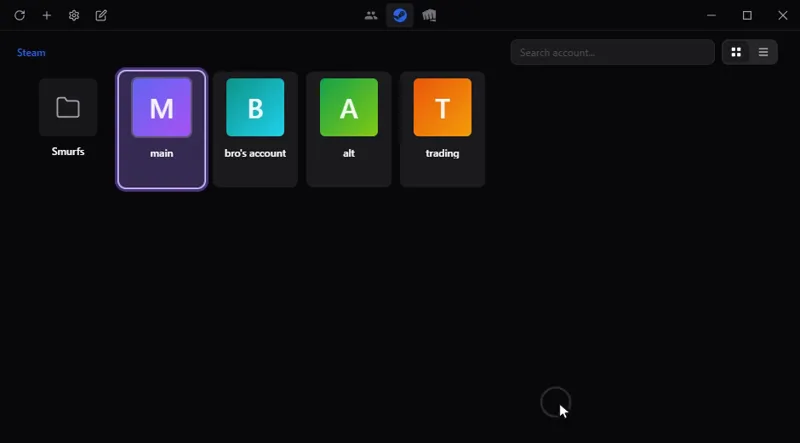
Passez d'un compte de jeu à l'autre en un clic, sans mot de passe enregistré : Steam, Riot, Battle.net, Epic et d'autres. Sur Windows, macOS et Linux.
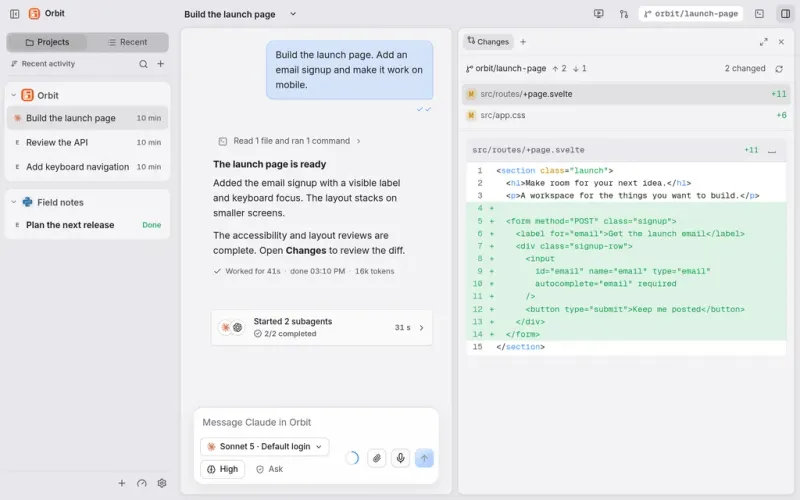
Tout votre travail et vos agents IA au même endroit : Claude Code, Codex et d'autres dans une seule fenêtre de discussion, sur l'ordinateur et depuis le téléphone.
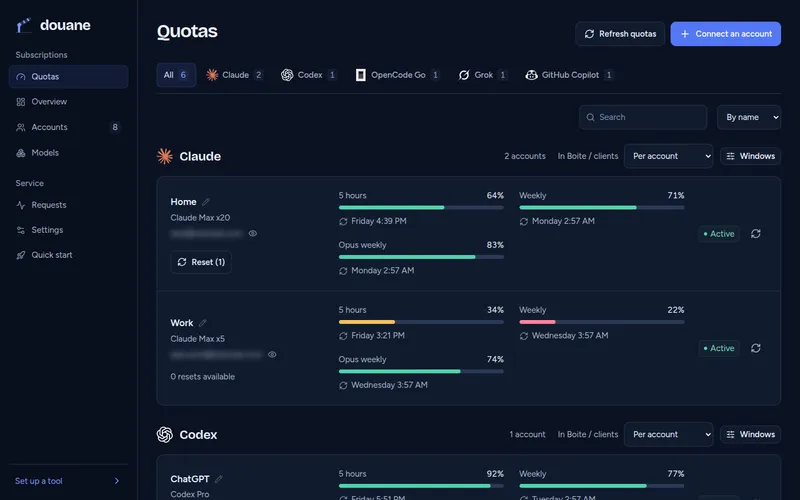
Pour les développeurs : utilisez tous vos abonnements IA dans n'importe quel outil de code, par un seul serveur chez vous qui suit le quota de chaque compte.
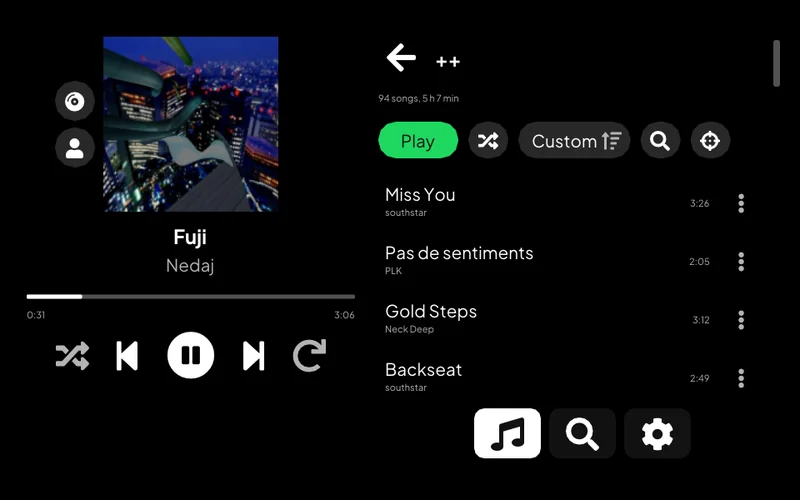
Écoutez Spotify sur une PS Vita : votre bibliothèque, la recherche, les pages d'artiste et Spotify Connect.
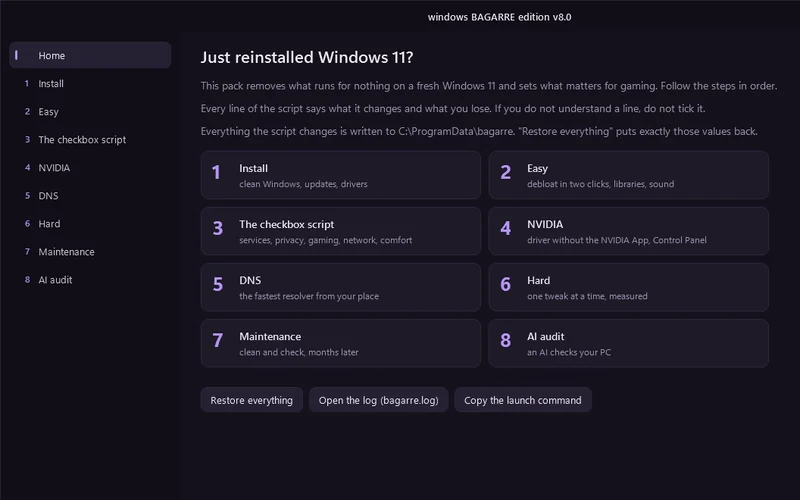
Une fenêtre qui nettoie un Windows 11 tout juste installé et le règle pour le jeu.
Pour les développeurs : choisissez quel assistant de code IA lancer, avec quel service et quel modèle, depuis un menu du terminal, ou laissez une roulette choisir.
Permet à un assistant IA de travailler sur un ordinateur distant : lancer des commandes, transférer des fichiers, prendre des captures d'écran.
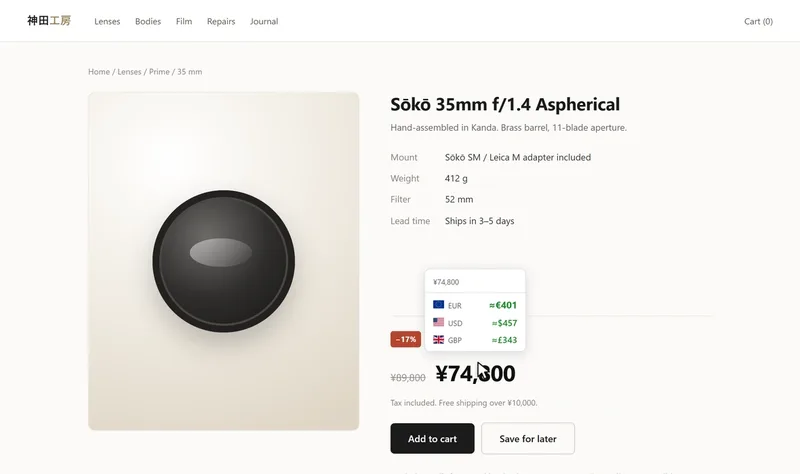
Voyez un prix d'une page web dans une autre devise ou en cryptomonnaie : au survol, à la sélection ou directement dans la page. Chrome et Firefox.
Pilotez une alarme de maison Meian depuis un téléphone Android, par SMS.
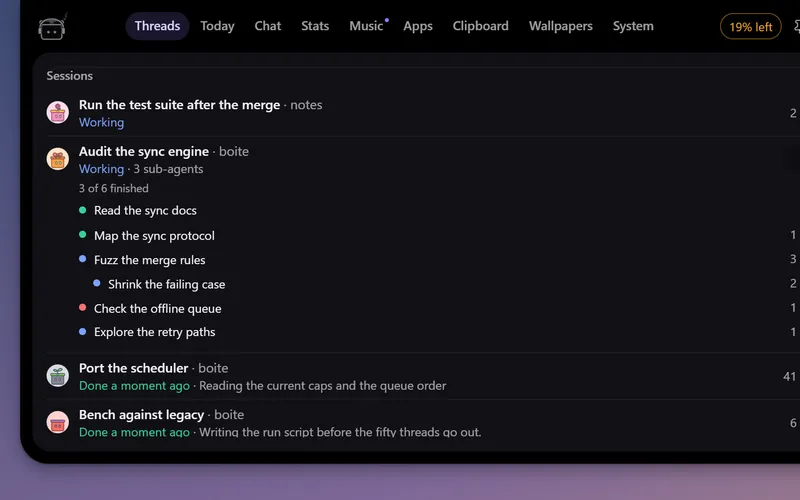
Un petit robot en haut de l'écran qui suit vos agents Boite, vous prévient quand l'un d'eux a besoin de vous et vous laisse répondre sans ouvrir Boite.
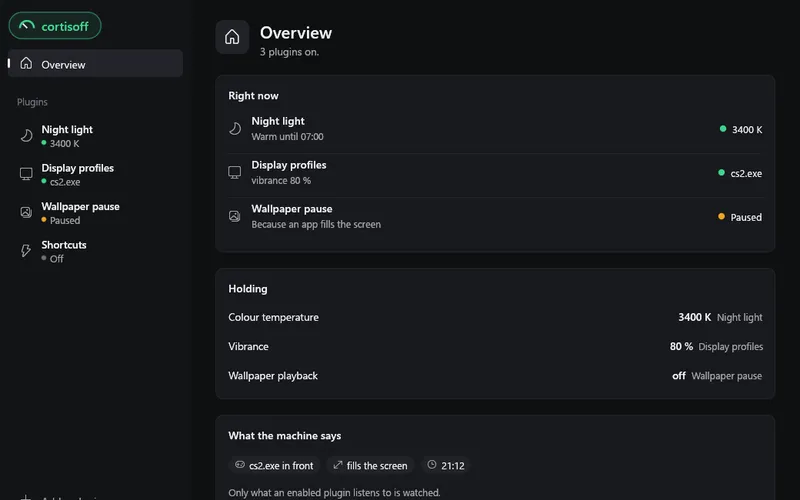
De petits modules pour votre bureau : lumière du soir, fréquence d'écran et vibrance pour chaque jeu, raccourcis. Sur Windows, Linux et macOS.
outil Windows
Une fenêtre qui nettoie un Windows 11 tout juste installé et le règle pour le jeu.
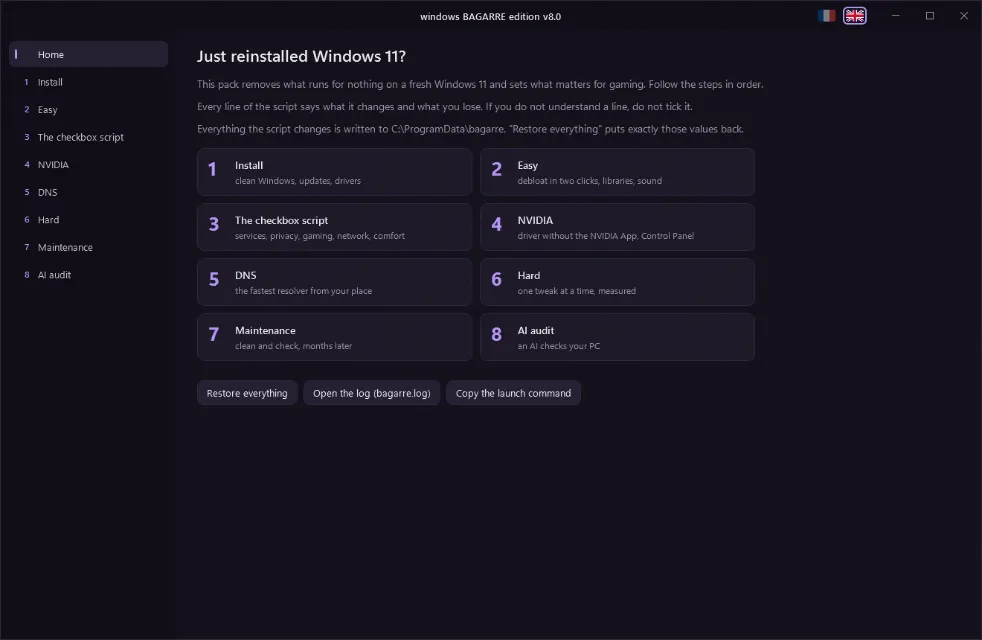
A window that debloats and tunes a freshly installed Windows 11 for gaming, in French or English.
Open a Terminal (right-click Start > Terminal), paste this line and accept the administrator prompt:
irm https://bagarre.mtsu.dev | iex
The command downloads the current version every time, there is nothing else to install. The window opens in the display language of Windows, and the two flags at the top switch it.
Eight steps, in order:
What the pack refuses to do, and why, is in docs/decisions.md.
bagarre.ps1 is the file the command downloads. build.ps1 generates it from src/ and textes/, so edit those and rebuild.src/ holds the PowerShell sources, textes/fr and textes/en the text of each page, images/ the screenshots and button logos, worker/ the Cloudflare Worker behind bagarre.mtsu.dev.& ([scriptblock]::Create([IO.File]::ReadAllText("bagarre.ps1", [Text.Encoding]::UTF8))) -Liste
& ([scriptblock]::Create([IO.File]::ReadAllText("bagarre.ps1", [Text.Encoding]::UTF8))) -Capture captures
The file is UTF-8 without BOM, which is why it is loaded this way rather than with -File on PowerShell 5.1. -Amd renders the AMD page, -Vieux the warning shown on an install older than a month.