Mining Miner
with Skollheim
A 2D incremental mining game, out on Steam.
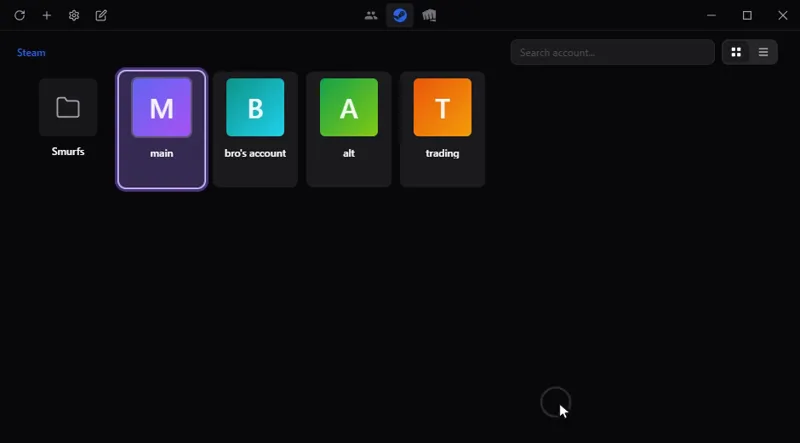
Switch between your game accounts in one click, with no password stored: Steam, Riot, Battle.net, Epic and more. On Windows, macOS and Linux.
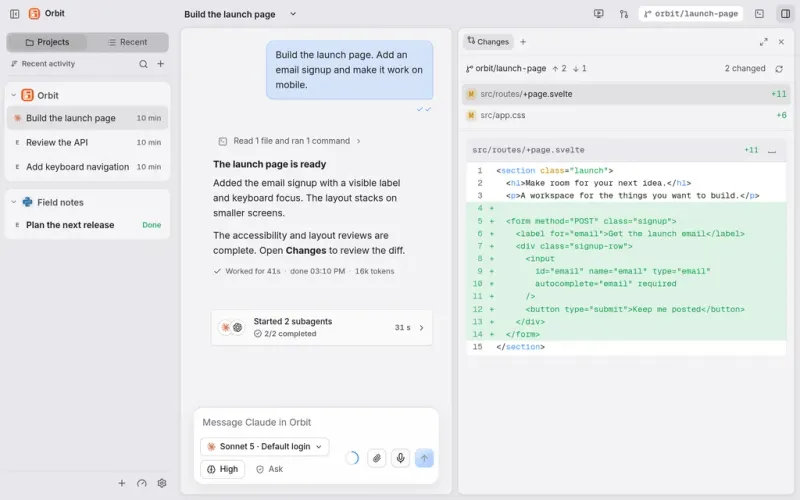
All your work and your AI agents in one place: Claude Code, Codex and others in a single chat window, on your computer and from your phone.
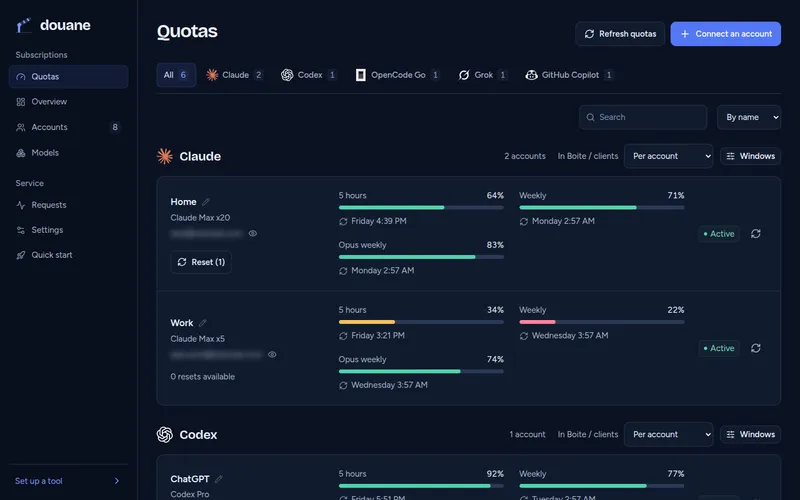
For developers: use all your AI subscriptions in any coding tool through one server you host, which watches each account's quota.
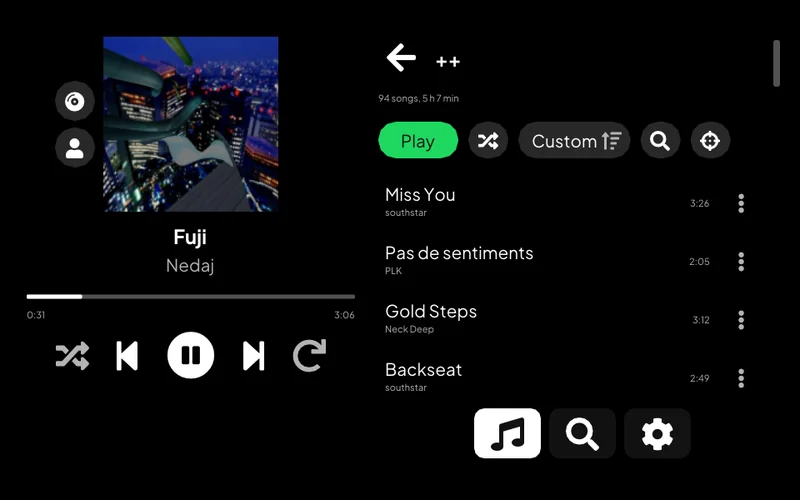
Listen to Spotify on a PS Vita: your library, search, artist pages and Spotify Connect.
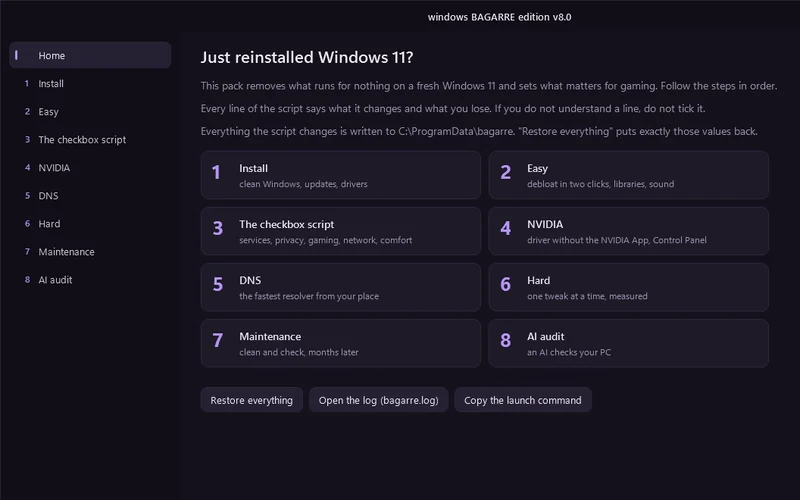
One window that cleans up a fresh Windows 11 install and tunes it for gaming.
For developers: pick which AI coding assistant to launch, with which service and model, from one terminal menu, or let a roulette choose.
Lets an AI assistant work on a remote computer: run commands, move files, take screenshots.
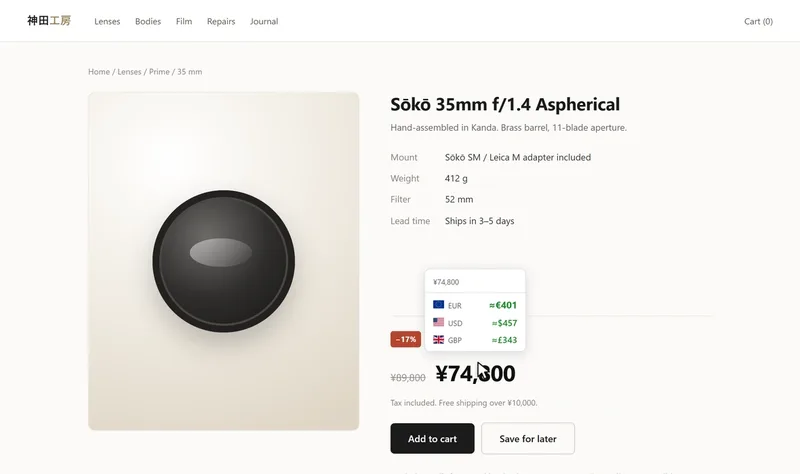
See a price on a web page in another currency or in crypto: on hover, on a selection or right in the page. Chrome and Firefox.
Control a Meian home alarm from an Android phone, by SMS.
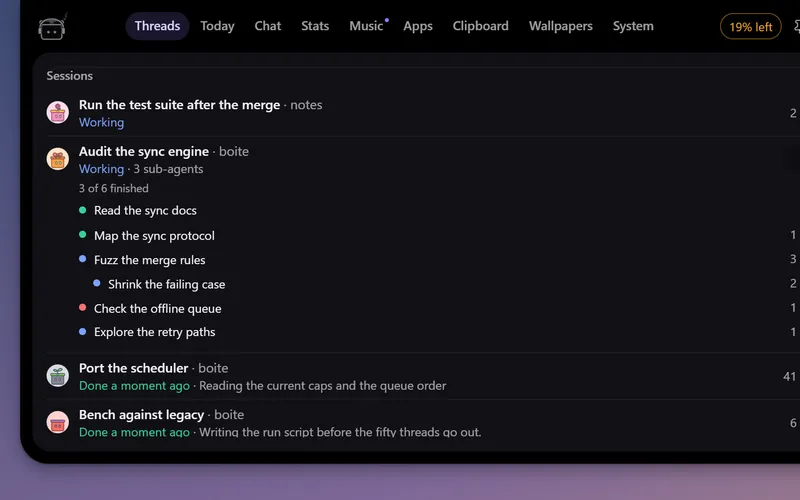
A little robot at the top of your screen that watches your Boite agents, tells you when one needs you and lets you answer without opening Boite.
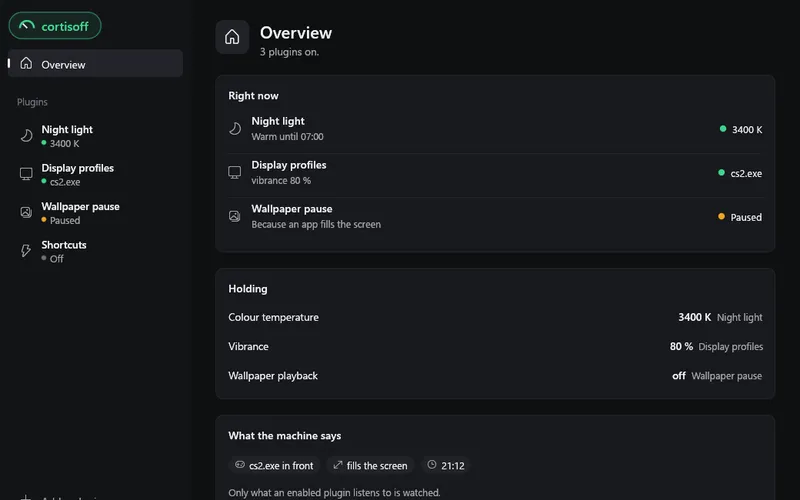
Small plugins for your desktop: a night light in the evening, a refresh rate and vibrance for each game, shortcuts. On Windows, Linux and macOS.
desktop app
Switch between your game accounts in one click, with no password stored: Steam, Riot, Battle.net, Epic and more. On Windows, macOS and Linux.
Download · Features · Platforms · CLI · Privacy · Wiki
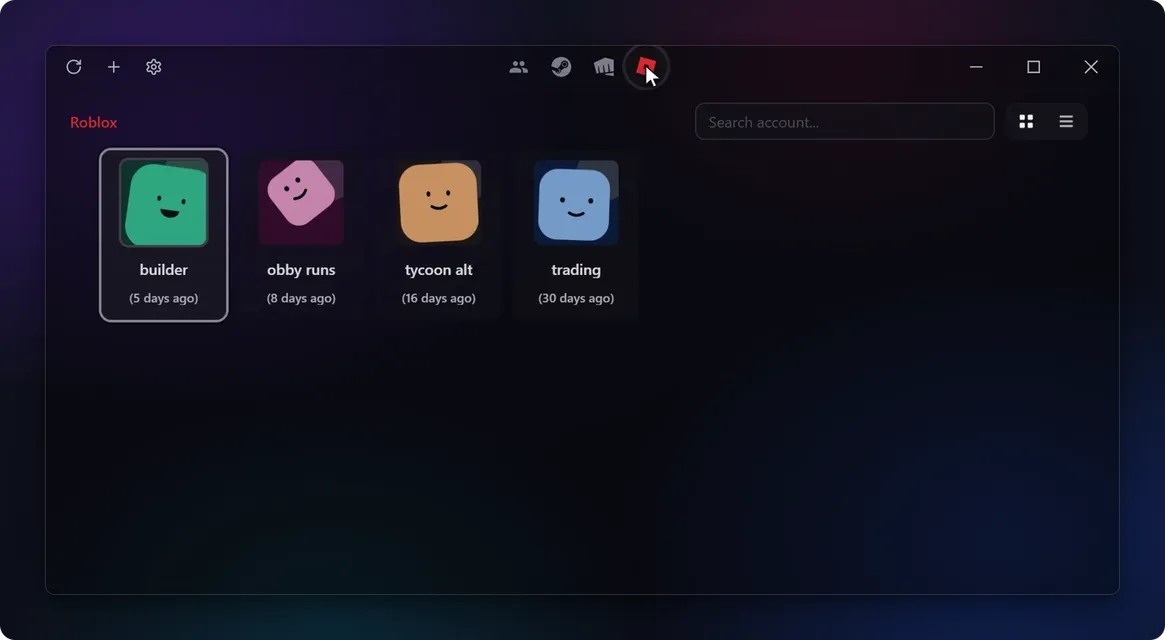
Pick an account and the launcher restarts already signed in. accshift never asks for your password: it saves the session the launcher already keeps, and encrypts it on your machine.
Grab the build for your OS from the latest release:
-setup.exe installer.dmg, unsigned for now. Run
xattr -cr /Applications/Accshift.app once if Gatekeeper complains..deb, .rpm or AppImageUpdates install from inside the app.
| Platform | Windows | macOS | Linux |
|---|---|---|---|
| Steam | ✅ | ✅ | ✅ |
| Riot Games | ✅ | ||
| Battle.net | ✅ | ✅ | |
| Epic Games | ✅ | ||
| Ubisoft Connect | ✅ | ||
| Roblox | ✅ | ||
| GOG Galaxy | Beta | ||
| Jagex Launcher | Beta | ||
| Discord | Beta |
Beta means the integration is built and working on my machine, but too few users have reported back for me to call it stable. Expect bugs, and open an issue if you hit one, or to ask for a platform that is not listed.
Most of these are a JSON descriptor rather than code, so you can add a launcher of your own without compiling anything. The format, the sandbox rules and the dry run are in docs/platform-descriptors.md.
Ctrl+K (Cmd+K on macOS) command palette
without touching the mouse.accshift://) for scripts, Stream Deck and
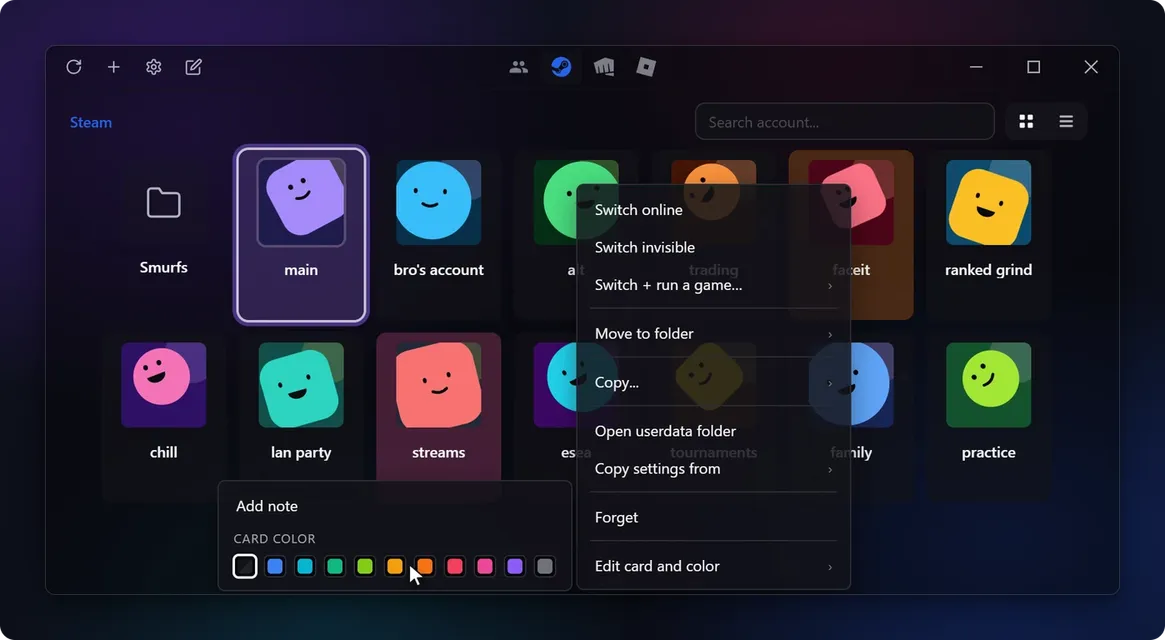
automation.Folders, search, drag and drop reordering, card colors and private notes for large account collections.
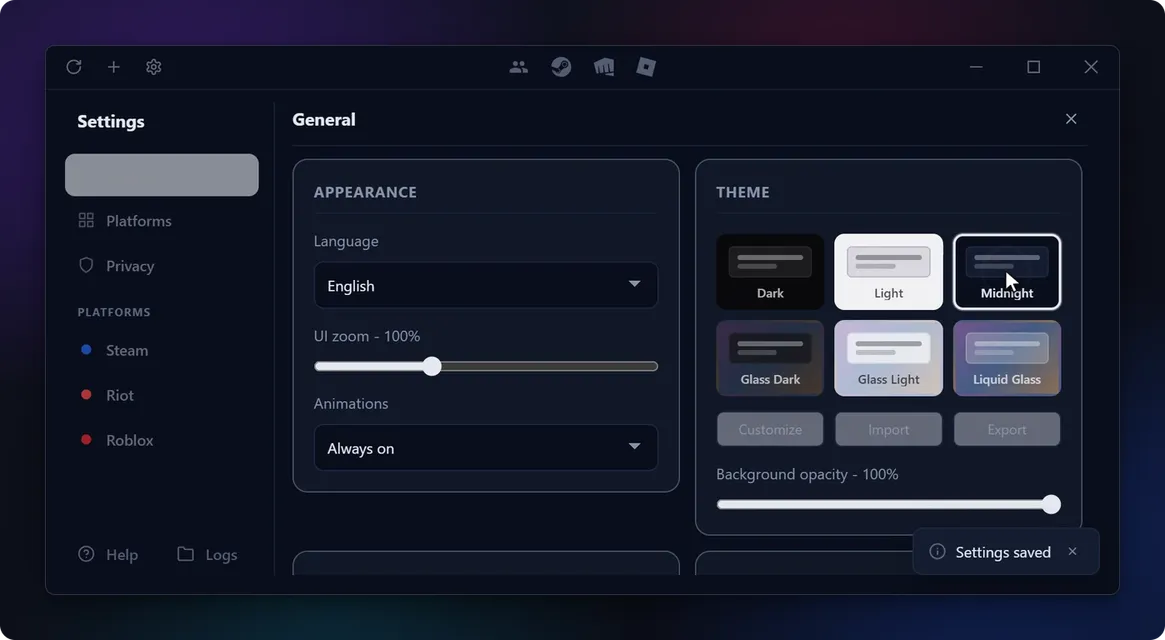
The same grid for each platform, in Light, Dark or Midnight, with light and dark acrylic variants and an experimental Liquid Glass theme. Themes are files you can edit, import and export (docs/theming.md).
accshift also ships as a command-line binary for scripts, Stream Deck macros
and AI automation. It reads and writes the same config as the GUI, and running
both at once is safe thanks to an exclusive lock on mutating operations.
accshift platforms                       # platforms known to this build
accshift list <platform>                 # accounts for a platform
accshift switch <platform> <account-id>  # switch, same as a click in the app
Output is a table in a terminal and JSON when piped, so scripts get a stable contract without an extra flag. Install steps, every flag, the versioned JSON envelope and the exit codes are in docs/cli.md.
Never sent, in any mode: account names, platform identifiers such as SteamID, passwords, tokens, cookies, persona or folder names, file paths and log files. An event can say "an account was added on Steam"; it cannot say which account. Your IP address reaches the server like any request does; the server derives a country code from it and never stores the address.
docs/analytics.md lists every event and field, shows a
real payload, says where the data is stored and how to export or delete it. The
client is in
crates/accshift-core/src/telemetry/
and the server in server/, both readable in a sitting.
pnpm install
pnpm tauri dev     # run the app with hot reload
pnpm tauri build   # installers for your OS
Setup, coding standards and how to propose a new platform are in the contributing guide. Technical references live in docs/.
src/lib/                          # Svelte frontend (GUI)
  app/                            # app lifecycle, dialogs, navigation
  features/folders notifications settings
  platforms/                      # per-platform UI adapters
  shared/components contextMenu platform ...
  storage/                        # client storage layer

crates/
  accshift-core/                  # platform logic, config, storage, OS
    src/
      platforms/steam riot ...    # hand-written platforms
      platforms/descriptor/       # JSON-described platforms and their engine
      os/windows linux macos      # per-OS primitives (sysinfo/open/keyring)
      context.rs                  # AppContext trait (replaces tauri::AppHandle)
      lock.rs                     # fs4 exclusive lock
      runtime.rs                  # tokio block_on helper
      config storage logging themes
  accshift-cli/                   # CLI binary (list, switch, platforms)

src-tauri/                        # Tauri GUI thin wrapper
  src/lib.rs commands.rs app_runtime.rs tauri_context.rs
  src/launcher.rs                 # Windows exe: starts WebView2, loads the app DLL

vendor/wry/                       # wry with an early WebView2 start (Windows)