Projects

desktop app

accshift

Switch between your game accounts in one click, with no password stored: Steam, Riot, Battle.net, Epic and more. On Windows, macOS and Linux.
  • Tauri
  • Rust
  • Svelte
desktop app

Boite

All your work and your AI agents in one place: Claude Code, Codex and others in a single chat window, on your computer and from your phone.
  • Tauri
  • Rust
  • SvelteKit
dev tool

Douane

For developers: use all your AI subscriptions in any coding tool through one server you host, which watches each account's quota.
  • Rust
  • SvelteKit
  • Docker
PS Vita app

Spotivita

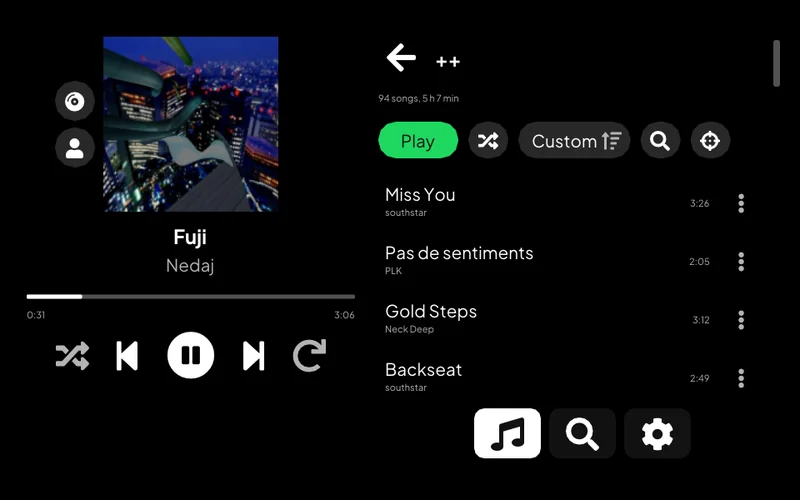
Listen to Spotify on a PS Vita: your library, search, artist pages and Spotify Connect.
  • C++
  • VitaSDK
Windows tool

Windows Bagarre

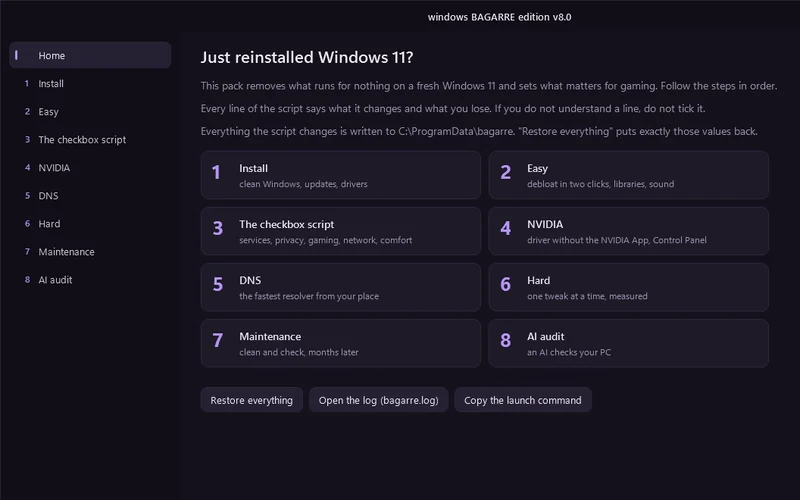
One window that cleans up a fresh Windows 11 install and tunes it for gaming.

  • PowerShell
  • WPF
fastpick
dev tool

fastpick

For developers: pick which AI coding assistant to launch, with which service and model, from one terminal menu, or let a roulette choose.

  • Rust
  • Ratatui
  • crates.io
fast-mcp-ssh
dev tool

fast-mcp-ssh

Lets an AI assistant work on a remote computer: run commands, move files, take screenshots.
  • Rust
  • MCP
  • crates.io
web extension

PriceHover

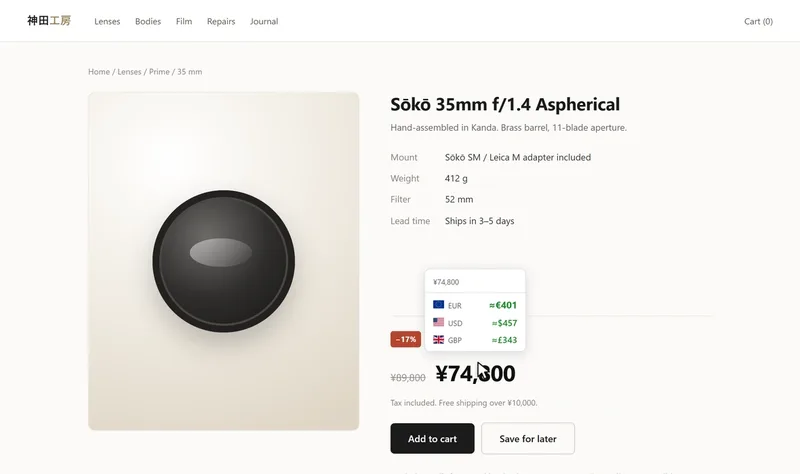
See a price on a web page in another currency or in crypto: on hover, on a selection or right in the page. Chrome and Firefox.

  • WebExtension
  • TypeScript
  • Svelte
AlarmeMeian
Android app

AlarmeMeian

Control a Meian home alarm from an Android phone, by SMS.
  • Kotlin
  • Android
desktop app

B.O.T.S

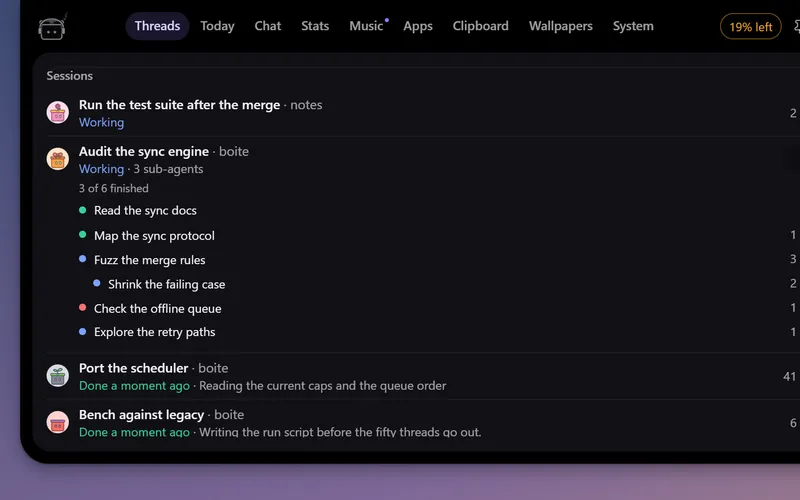
A little robot at the top of your screen that watches your Boite agents, tells you when one needs you and lets you answer without opening Boite.
  • Tauri
  • Rust
  • Svelte
desktop app

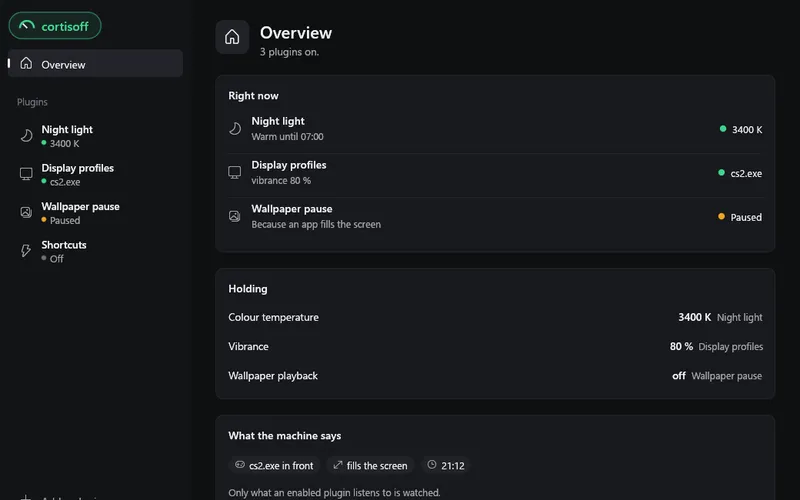
Cortisoff

Small plugins for your desktop: a night light in the evening, a refresh rate and vibrance for each game, shortcuts. On Windows, Linux and macOS.

  • Rust
  • Lua
  • egui
Projects

PS Vita app

Spotivita

  • C++
  • VitaSDK
Spotivita

Listen to Spotify on a PS Vita: your library, search, artist pages and Spotify Connect.
In pictures

Technical documentation

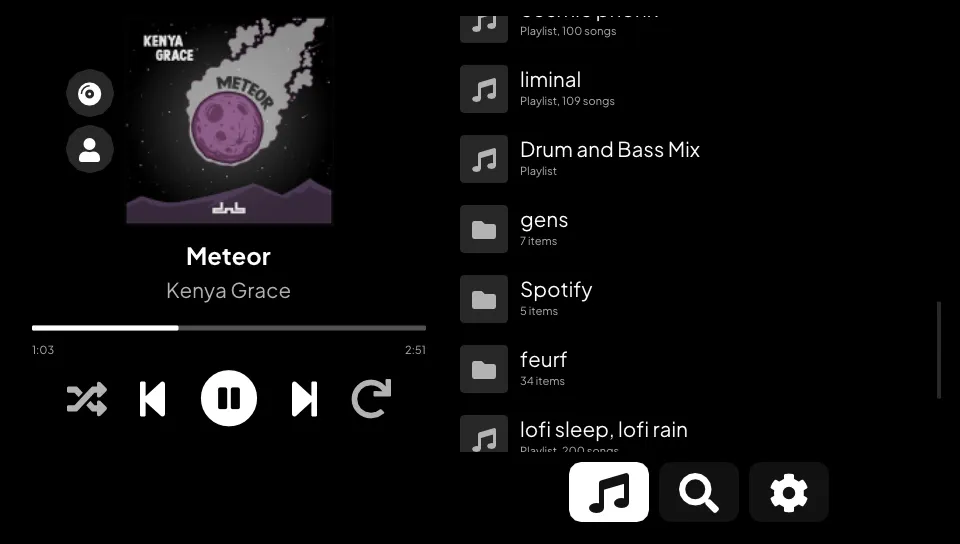
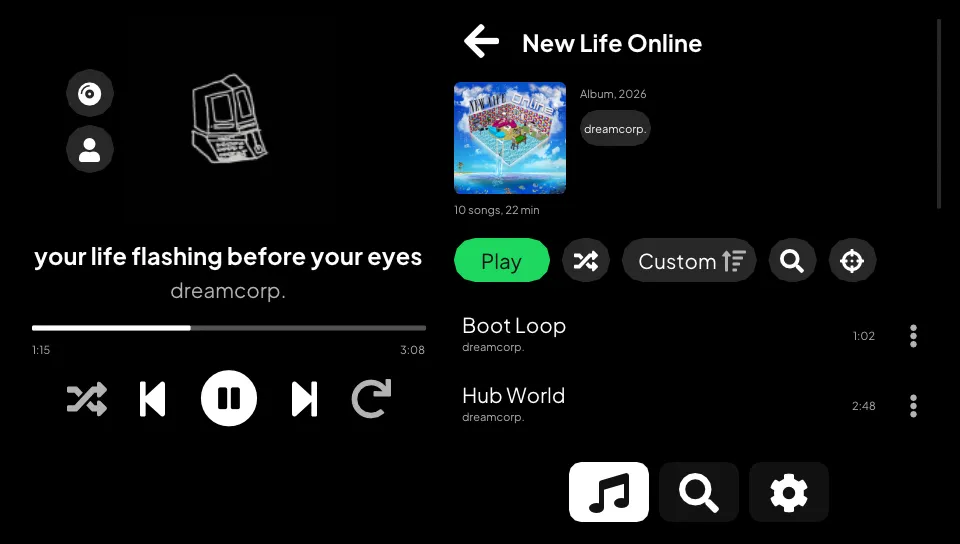
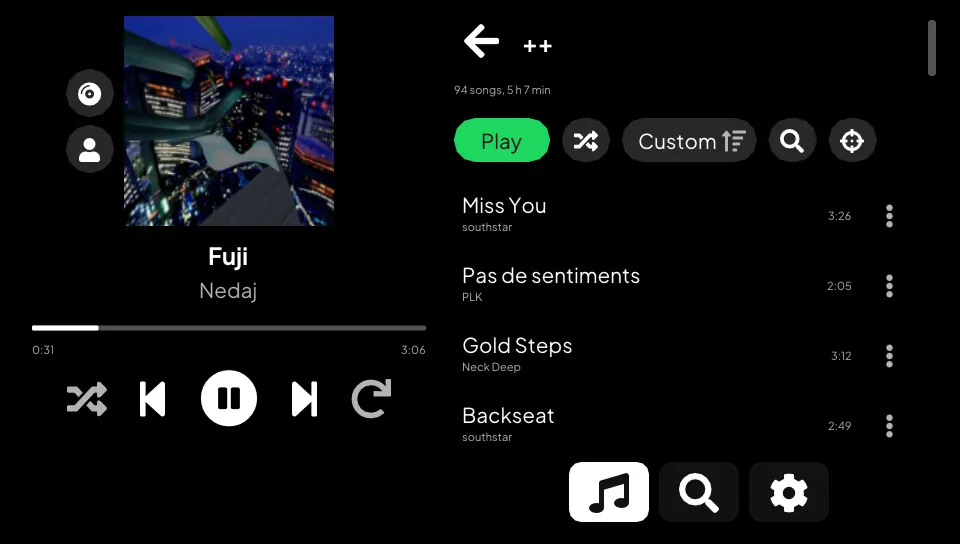
A Spotify player for the PS Vita. Open your playlists, search, browse artists and albums, and play it all on the console. Your phone can also pick the Vita as a speaker from the Spotify app.

It needs Spotify Premium. Spotivita started as a fork of cspot_vita and still streams through cspot. The interface, the library, search, browsing, local playback control and most of the network code are new.

What it does

Library
  • Liked Songs first, then your playlists and folders in the order Spotify shows them. The list opens at once from a cache and refreshes in the background at each launch.
  • Playlists load whole. A 3800-song playlist lists every title in about 3 seconds the first time, then opens at once. Each one shows its song count and total length.
  • Sort a playlist by title, artist, album, date added or duration, either way. Each playlist keeps its sort. The filter keeps the songs whose title, artist or album match what you type.
  • Shuffle play, a button that scrolls to the song playing, and a fast-scroll thumb that shows the letter, date or position under your finger. The right stick scrolls faster the longer you hold it.
Search and browsing
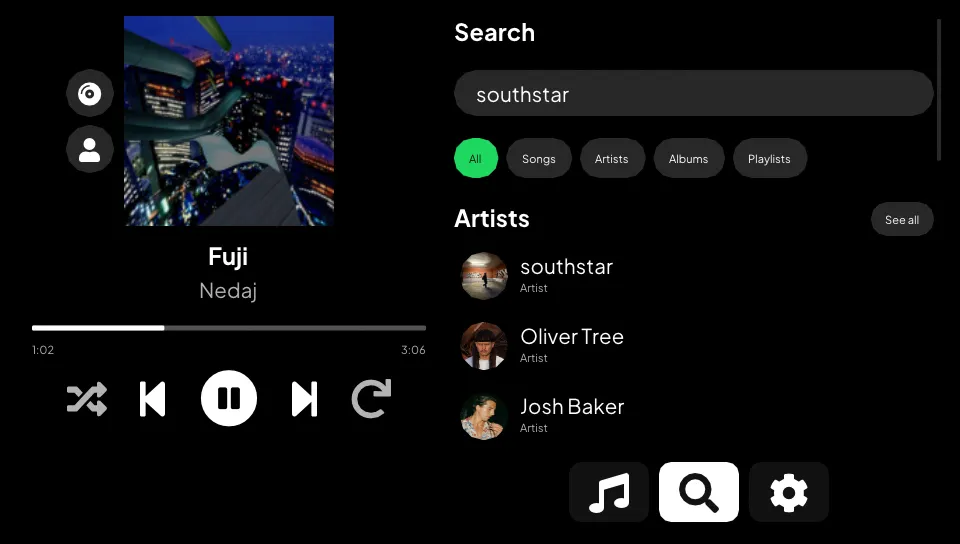
  • Search for songs, artists, albums and playlists. The first page shows a few of each, with the top artist first when it matches. A chip opens one kind with every result, a page at a time.
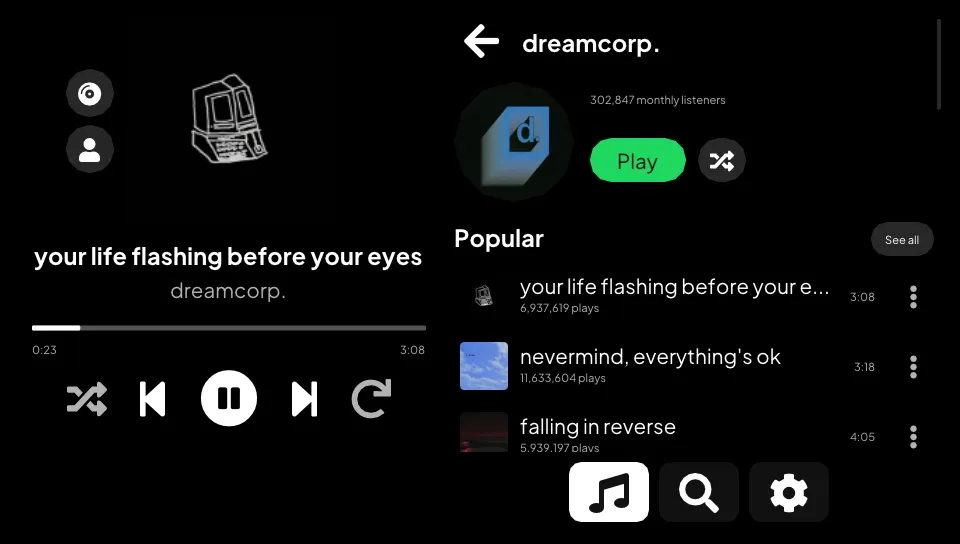
  • Artist pages list popular songs, albums, singles and EPs, compilations, "Appears on", playlists and similar artists. Each section has a "See all" page, and the artist plays in order or shuffled.
  • Albums and public playlists open like your own playlists, with their cover, sort and filter. Browsing never adds anything to your account.
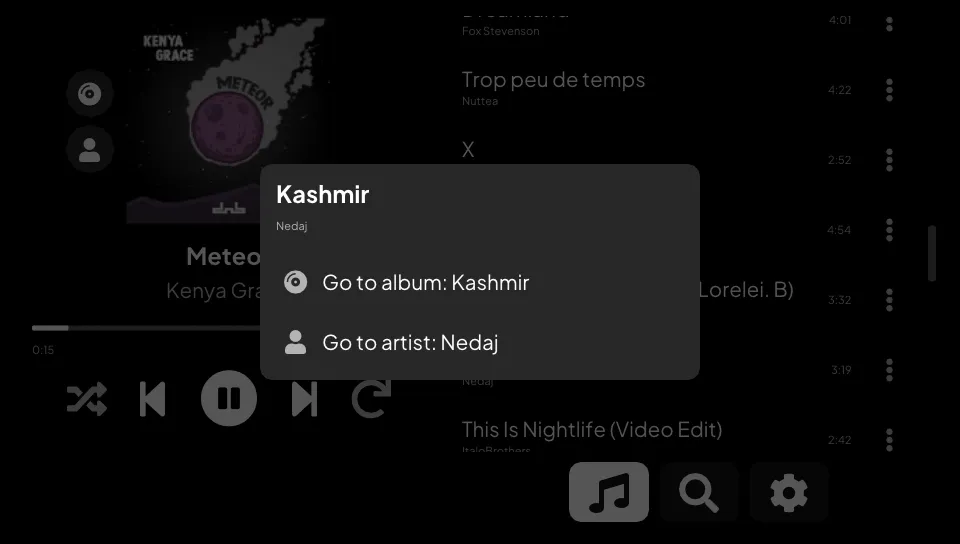
  • Every song has a menu (the dots, or triangle on the row) that goes to its album or one of its artists. On the player, the cover and the title open the album and the artist line opens the artist. The two buttons by the cover do the same with the gamepad.
Playback
  • Play, pause, next, previous, seek, shuffle and repeat, handled on the Vita. Pause cuts the sound at once. Previous restarts the song after its first 3 seconds, like Spotify.
  • The console's volume buttons set the level. The app always plays at full.
  • A sleep timer stops the music after 15 minutes, 30 minutes, 1 hour or at the end of the song.
  • Audio quality in Settings: Low (96 kb/s), Normal (160 kb/s) or Very high (320 kb/s, the default).
  • Press the PS button and the music keeps playing, screen off included. The interface stops drawing while it is in the background.
  • Wi-Fi off at launch or lost mid-song: the app keeps retrying every 5 seconds and picks the song up again once it reconnects.
Spotify Connect
  • The Vita shows up in the device list of the Spotify app, so your phone can drive it.
  • One device plays at a time, like Spotify. Start a song on your phone and the Vita pauses. Start one on the Vita and the phone pauses.
  • While another device plays, the Vita shows its song and controls it: play, pause, next, previous and seek. "Play here" moves the music to the Vita at the same spot.
Display
  • A black background, which turns the pixels off on the OLED model.
  • Greek and Cyrillic titles draw fine. The Vita's fonts have no emoji or CJK characters, so the app leaves those out.
  • It draws with vita2d and precompiled shaders, so libshacccg.suprx is not needed.

Status

Everything above runs in the Vita3K emulator. Vita3K has no sound, so there playback is checked by watching the position move. On a real PS Vita the app plays, searches and keeps playing in the background.

Not tried on a console yet: a real Wi-Fi drop (Vita3K saw the lost link and the reconnect), the handover with a real phone (tested against a simulated one), and the artist, album and song menu pages. If something breaks on your Vita, please open an issue.

Install

  1. Download spotivita.vpk from the latest release.
  2. Install it with VitaShell. Its TITLEID is SPOTIVITA, so it sits next to an existing CSpot install instead of replacing it.
  3. Open Spotivita. It waits for Spotify Connect.
  4. On your phone, on the same Wi-Fi, open Spotify, tap the devices icon and pick Spotivita. The Vita keeps that login, so later launches connect on their own.

Spotify turned off username and password logins in 2024. The Vita cannot log in by itself anymore, so your phone hands it a login over the local network (Zeroconf).

Each CI run on master also attaches a build as the spotivita-vpk artifact (Actions tab, GitHub login needed).

How it talks to Spotify

  • cspot keeps the session with Spotify's access point, streams and decodes the audio (Ogg Vorbis), and answers Spotify Connect.
  • Playlists, song names, albums and the album and artists of a song come from spclient. Search and artist pages use the same GraphQL endpoint as the web player.
  • The public Web API answers 429 to every request from this client, so nothing depends on it. When you play a song, the Vita builds the queue itself and hands it to cspot.
  • Search and artist pages send query hashes taken from the web player. When Spotify rotates them, those pages show "Spotify changed its API" until the app is updated.

Building

You need vitasdk with the vita2d, imgui-vita2d, curl and openssl packages, plus protoc and Python's protobuf and setuptools on the host for nanopb.

git clone --recursive https://github.com/klNuno/spotivita.git
cd spotivita
cmake -B build && cmake --build build

The VPK lands in build/spotivita.vpk. .github/workflows/ci.yml builds it in the vitasdk/vitasdk Docker image. That image installs OpenSSL 1.1.1 while its libcurl expects 1.0.2, so the workflow swaps the package back first. Pushing a v* tag also publishes a release with the VPK, its notes listing the commits since the previous tag.

Testing without the console in your hands

A devkit build adds a TCP server on port 2138. It returns the app state as JSON and takes taps, swipes, buttons, screenshots, logs, file transfers and eboot hot swaps. It can read and write files on the console, so release builds leave it out.

cmake -B build/dev -DSPOTIVITA_DEVKIT=ON && cmake --build build/dev
python tools/vitactl.py find                 # finds the Vita on your /24
VITA_HOST=<vita-ip> python tools/vitactl.py deploy build/dev/eboot.bin
VITA_HOST=<vita-ip> python tools/vitactl.py "state; tap 660 492; shot s.png"
  • tools/vitasetup.py prepares a console once. Open VitaShell, press SELECT to start its FTP server, run the script, then reboot. It installs vitacompanion, which serves FTP, takes launch, quit and reboot commands, and keeps the Vita awake. It also copies the dev build over the installed app, or leaves the VPK in ux0:data/spotivita/ for VitaShell when the app is not installed yet. After that, vitactl deploy works even when the app has crashed.
  • tools/vita3k runs the same build in Vita3K on a hidden Windows desktop, with no window on your screen. tools/vita3k/login.py logs the emulator in without a phone. Details are in tools/vita3k/README.md.
  • vitactl netdrop cuts the link to Spotify's access point the way a Wi-Fi loss does, and netdrop write makes the next send fail.

Credits

  • michal4132 for cspot_vita, the base of this project.
  • feelfreelinux and contributors for cspot and bell.
  • The vitasdk, vita2d, Dear ImGui and vitacompanion projects.
  • Plus Jakarta Sans (OFL) and Roboto (Apache License 2.0, see common_data/Roboto-LICENSE.txt).

Disclaimer

Using this code to connect to Spotify's API may be prohibited by their terms of service. Use at your own risk. The developers are not responsible for any negative consequences, including account closure.