Mining Miner
with Skollheim
A 2D incremental mining game, out on Steam.
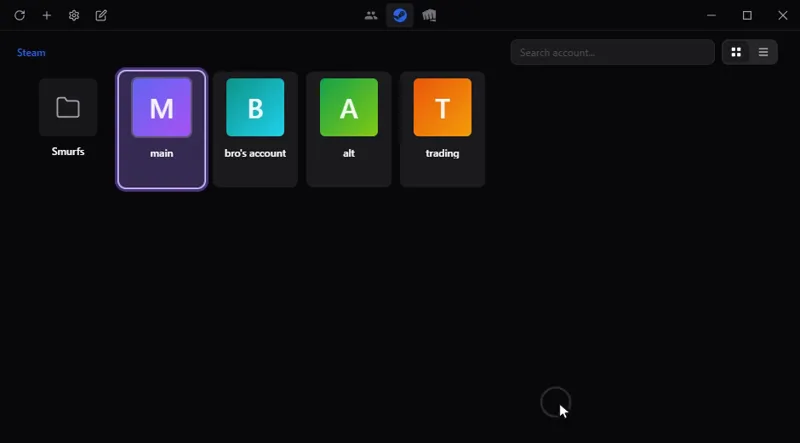
Switch between your game accounts in one click, with no password stored: Steam, Riot, Battle.net, Epic and more. On Windows, macOS and Linux.
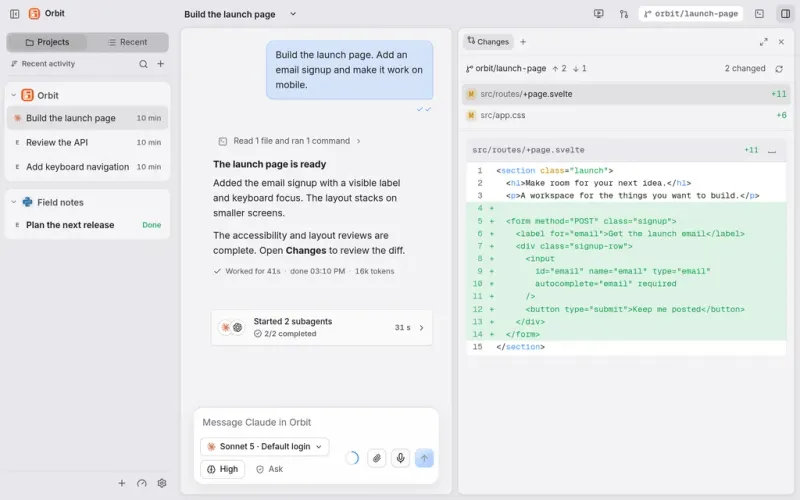
All your work and your AI agents in one place: Claude Code, Codex and others in a single chat window, on your computer and from your phone.
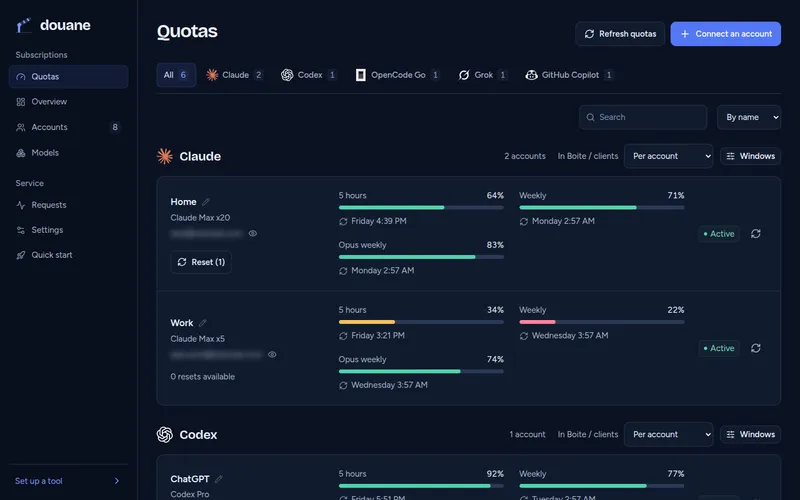
For developers: use all your AI subscriptions in any coding tool through one server you host, which watches each account's quota.
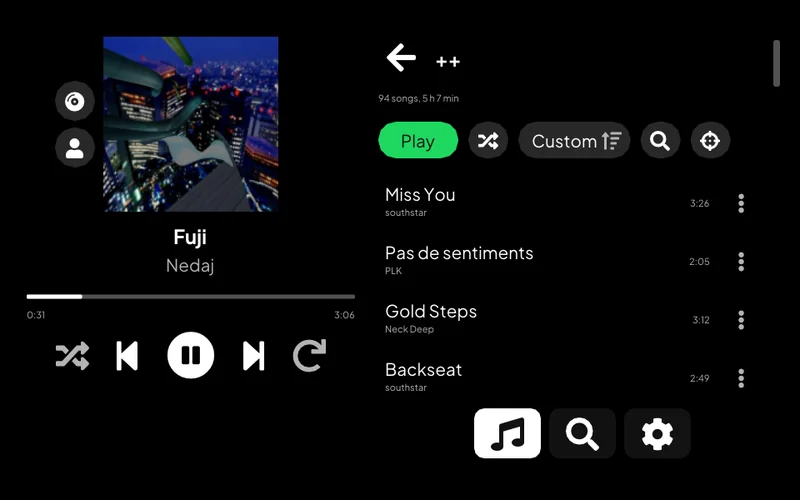
Listen to Spotify on a PS Vita: your library, search, artist pages and Spotify Connect.
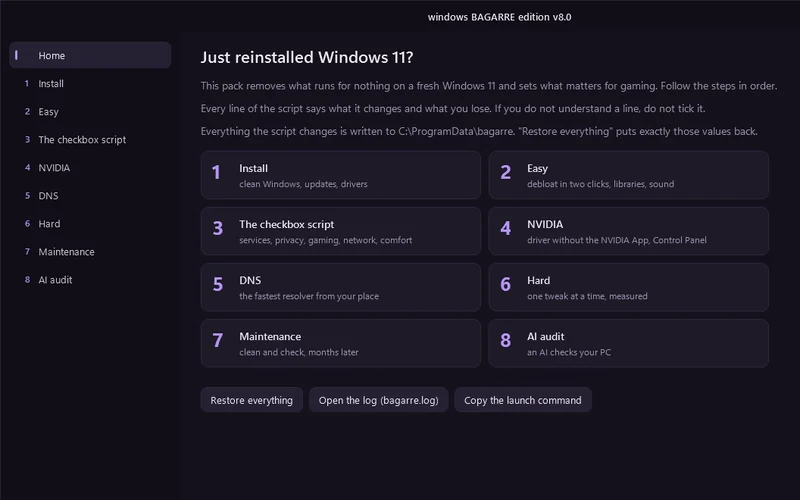
One window that cleans up a fresh Windows 11 install and tunes it for gaming.
For developers: pick which AI coding assistant to launch, with which service and model, from one terminal menu, or let a roulette choose.
Lets an AI assistant work on a remote computer: run commands, move files, take screenshots.
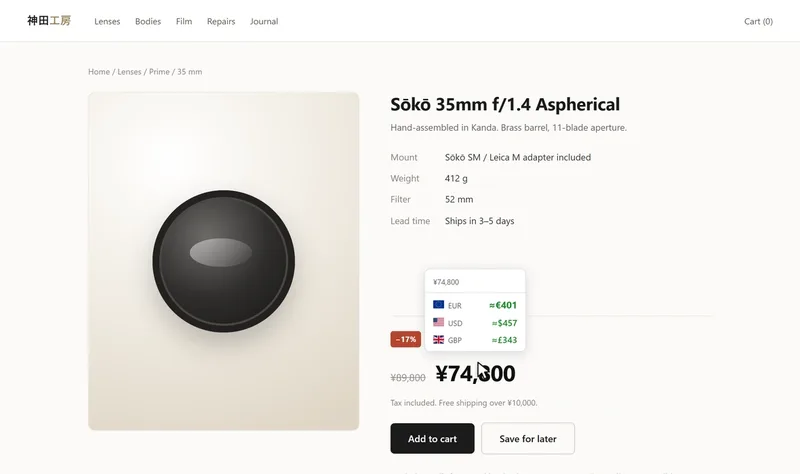
See a price on a web page in another currency or in crypto: on hover, on a selection or right in the page. Chrome and Firefox.
Control a Meian home alarm from an Android phone, by SMS.
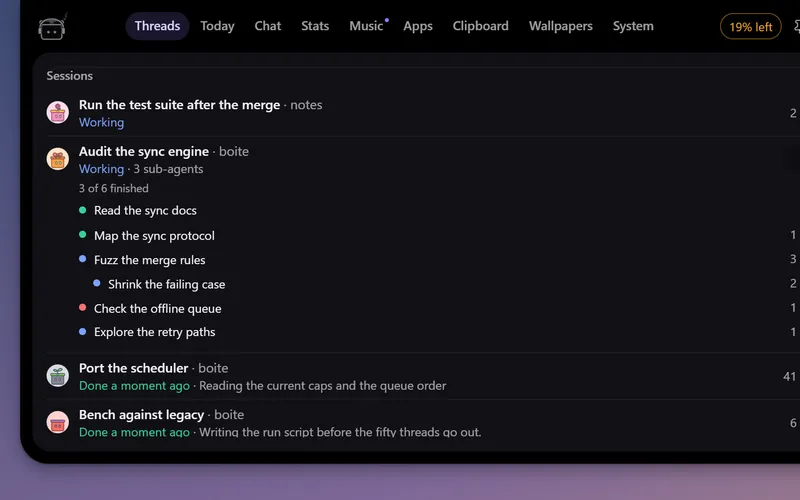
A little robot at the top of your screen that watches your Boite agents, tells you when one needs you and lets you answer without opening Boite.
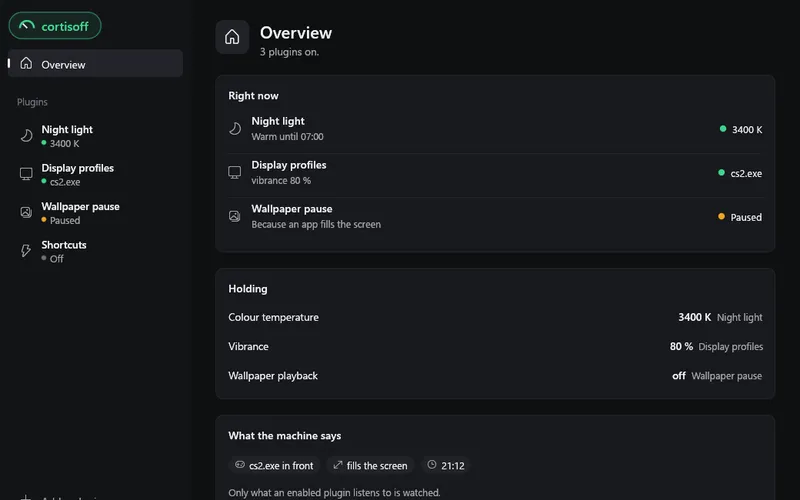
Small plugins for your desktop: a night light in the evening, a refresh rate and vibrance for each game, shortcuts. On Windows, Linux and macOS.
desktop app
A little robot at the top of your screen that watches your Boite agents, tells you when one needs you and lets you answer without opening Boite.
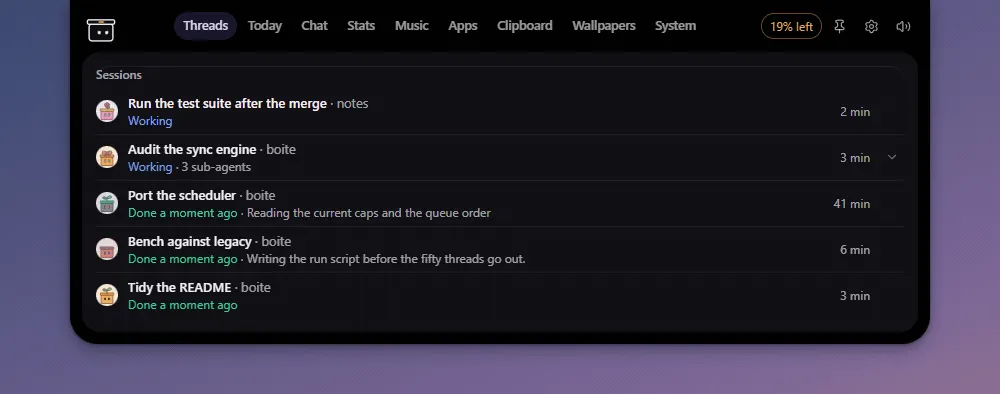
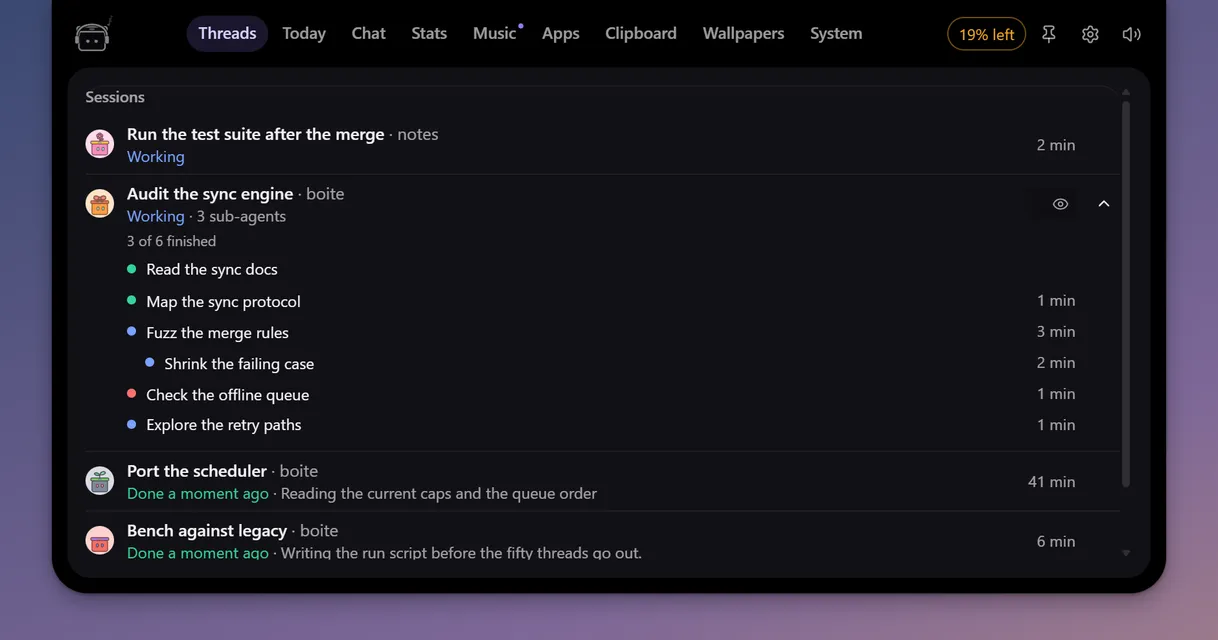
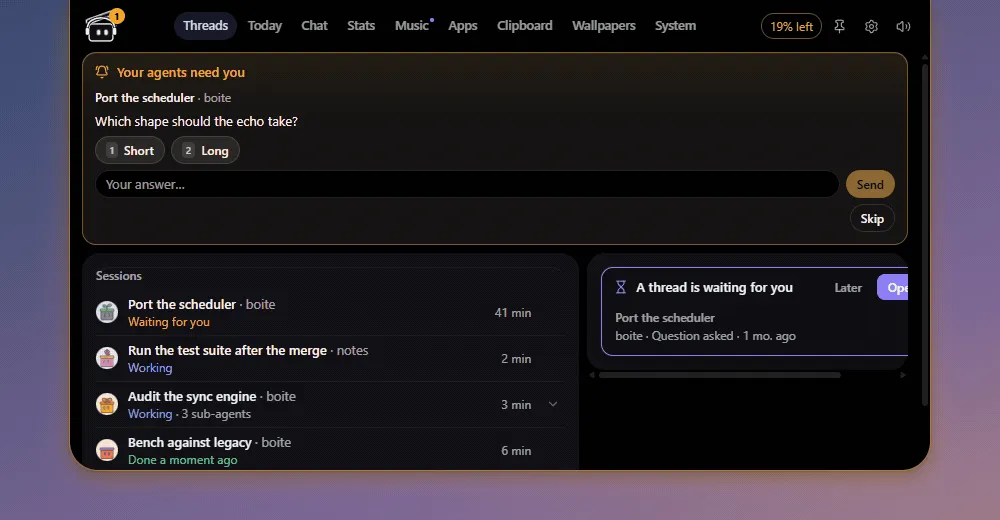
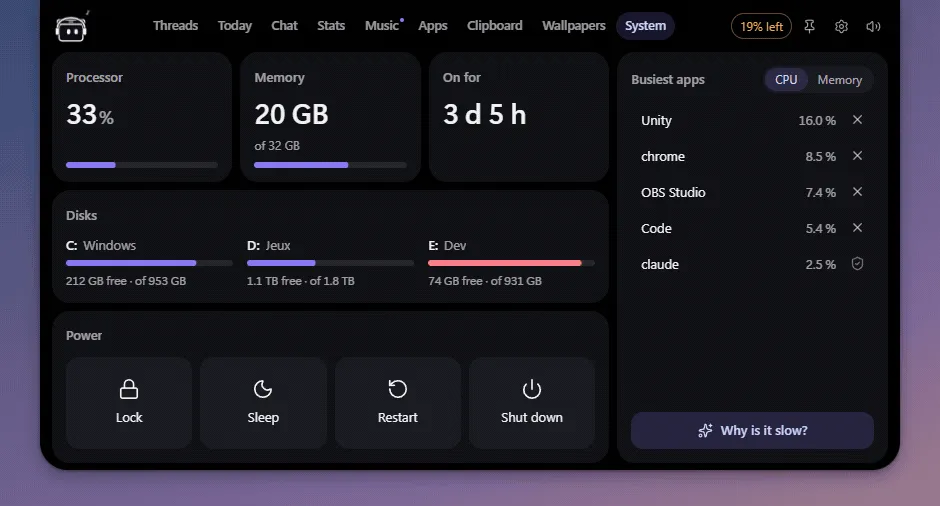
A little robot at the top of your screen that keeps an eye on your Boite agents. It shows what they are doing, tells you when one of them needs you, and lets you talk to them without opening Boite's window. It also runs your scheduled missions, keeps your to-do list and, on Windows, puts the computer at hand: its system, wallpapers, clipboard and apps.
B.O.T.S is a Boite plugin with its own window. Its code, its repository and its plugin id call it Bots (bots). Boite installs it, starts it, and hands it the address of the Boite core and a token to talk to it. When you quit Bots from its tray icon, it stays stopped until Boite starts it again.
The pictures below come from the demo mode, on Boite's fake core.
Point at the pill and the island opens as a deck of tabs. Threads lists every conversation running in Boite, however many there are, including those running on your other machines, each with its machine's name. Sub-agents fold under the conversation that started them. A click opens the thread in Boite.
When an agent asks for a permission or has a question, the pill says so. Open it to allow once, always allow or deny, pick an answer or type your own, without leaving what you are doing.
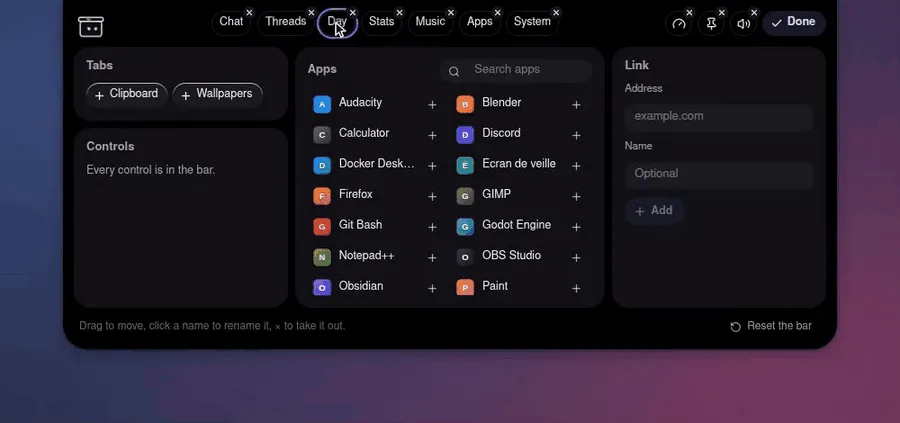
Right-click the deck's bar, or click Edit beside "Island bar" in Settings, and the bar goes into edit mode. Drag a tab to move it, click its name to rename it, click its × to take it out. Under the bar, put back what you took out, add an app of the Start menu or a web link. Done or Escape ends it, and the bar stays as you left it.
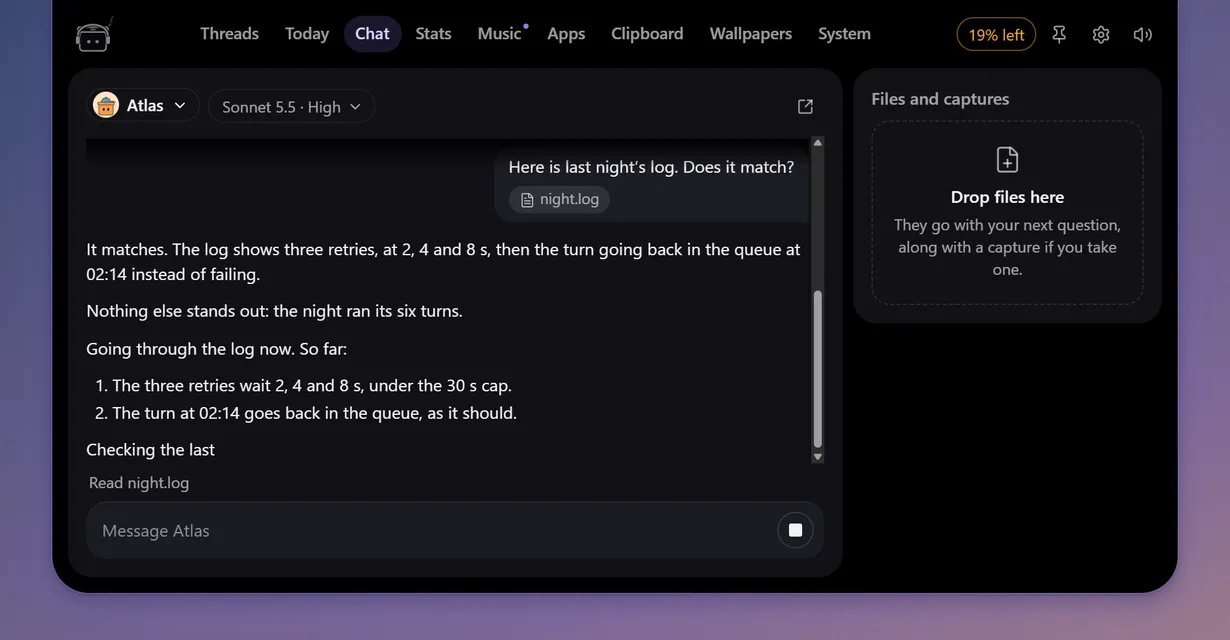
Call B.O.T.S from any app with its shortcut, or click a robot on the desktop, and ask. B.O.T.S answers as one of your Boite agents, with its own conversation and memory, and you follow its work in the chat tab as it goes. It also keeps reminders ("remind me at 6 pm to call Paul"), timers and stopwatches, your to-do list and your missions.
Ask B.O.T.S for a mission ("every weekday at 9, check the website's broken links") and it starts that thread in Boite at that time: once, every day, on weekdays or once a week. Boite's core has no scheduler, so missions live in Bots and run while it runs. One whose time passed while the computer slept runs when it wakes, if it is less than 12 hours late. Today shows the next one and marks the days they run.
The to-do list belongs to no thread. Tick it in Today, or ask B.O.T.S to add, rename, tick or clear items ("add renew the domain to my list").
Come back to the keyboard after a quarter of an hour or more, and the island tells what happened meanwhile, a line each: the threads that wait for you, those that finished or failed, the pull requests whose CI settled, the reminders that rang, a quota running low and the memory guard's warnings. A click on a line opens it.
On Windows, four tabs reach the computer itself. Nothing in them changes the computer until you click, and the heavy actions ask first.
Rather have them loose? Put up to four robots on the desktop, each one of your Boite agents with its own look. Click one for its panel: ask it something, start a pomodoro, turn on focus, or see what is at work. Drag a robot out of the island to set it loose, and back to the top edge to put it back.
On Windows, when something plays (Spotify first, else whatever Windows calls current), the robot puts on its headphones and dances, and the player sits beside the pill and in the Music tab: cover, controls, timeline and synced lyrics. The lyrics come from LRCLIB, which receives the title and the artist of each track, nothing else. Both can be turned off in Settings.
Closed, the island is a small pill. Pick what it shows when nothing needs you: the thread at work and what it does, what is left on your roomiest subscription, the song playing, or only the robot. Turn the mouse wheel over the pill to go from one to the next.
A pomodoro or a timer sits beside it.
Everything else is in Settings, a panel that grows out of the open island under its bar, from the bar's gear or the tray icon: where the robots sit and on which screen, the shortcut, what the pill shows, the mascot and the agents on screen, quotas, pomodoro, missions, sounds and reminders. In English and French.
In Boite, open Settings > Plugins, add https://github.com/beboite/bots, and confirm. Boite downloads the executable for your system from this repository's releases, checks its sha256 against boite-plugin.json, and starts it.
The tray icon has Settings and Quit.
Bots finds the core in this order:
BOITE_CORE_URL and BOITE_TOKEN, which Boite sets when it starts Bots.core.json in Boite's data folder (BOITE_DATA_DIR, else %LOCALAPPDATA%\boite2, ~/Library/Application Support/boite2 or $XDG_DATA_HOME/boite2), read the way Boite's CLI reads it.A second launch brings the running Bots forward instead of starting another one.
Bots is Tauri 2, Svelte 5, Vite and TypeScript, built with Bun (the version in package.json's packageManager) and stable Rust. On Linux, install the WebKit dependencies first: libwebkit2gtk-4.1-dev libayatana-appindicator3-dev librsvg2-dev.
git clone --recurse-submodules https://github.com/beboite/bots
cd bots
bun install --frozen-lockfile
bun run check          # svelte-check, then the scripts' types
bun run test           # vitest
bun run test:scripts   # the release scripts
bun run check:manifest # boite-plugin.json against Boite's own reader
cd src-tauri && cargo test && cargo clippy --all-targets -- -D warnings
The demo runs the robots on Boite's in-memory fake core: no Boite needed.
bun run dev, then open http://localhost:5174/?fake=1 (add &hud=1 for busy agents and quotas, or &pose=settings§ion=crew for the settings panel on a section).BOTS_DEMO=1 bun run tauri dev (BOTS_DEMO=hud for the busy version). Development builds only.In the browser, a few more parameters set a scene for captures: pose=collapsed|peek|open|deck|desktop|away, tab=threads|today|chat|stats|music|apps|clipboard|wallpaper|system, calm=1 to answer the starting requests, music=playing&lyrics=1, rest=live|quota|music|timer|robot, timer=1, todo=1, mission=ask|list, source=engine|recent|folder for the wallpapers, bar=custom and edit=1 for the bar, and more. src/lib/island/pose.ts lists them all. The pictures of this README were taken that way, with the English interface.
Never point a development build at the Boite you use every day. Start a core from the submodule on a fresh data folder instead:
cd vendor/boite && bun install --frozen-lockfile && cd ../..
scratch=$(mktemp -d)
BOITE_ECHO=1 BOITE_HOST_AGENTS=0 bun vendor/boite/packages/core/src/main.ts --port 0 --data-dir "$scratch"
# in another terminal: Bots reads that core's core.json
BOITE_DATA_DIR="$scratch" bun run tauri dev
Stop the core before deleting $scratch.
vendor/boite submoduleBots shares Boite's protocol types and UI pieces (the client, the theme, i18n, the chat renderer) instead of copying them: vendor/boite is a shallow submodule of Boite, and the build aliases @boite/contracts and @boite/ui/* into it (vendor.config.ts, tsconfig.json). Bots keeps its own robots, faces, sounds, the companion's code and its own strings.en.ts and strings.fr.ts.
A submodule rather than a package: Boite publishes no packages, and pinning a commit keeps Bots building against exactly the protocol it was tested with.
To move to a newer Boite:
cd vendor/boite
git fetch --depth 1 origin <commit>
git checkout <commit>
cd ../..
bun run check && bun run test && bun run check:manifest
git add vendor/boite
git commit -m "chore(vendor): bump boite to <short commit>"
Check the protocol version and the RPCs Bots calls (ui.reveal among them) when you bump.
v (0.2.0).tauri build --no-bundle: bots-x86_64-pc-windows-msvc.exe, bots-aarch64-apple-darwin, bots-x86_64-apple-darwin, bots-x86_64-unknown-linux-gnu, and the arm64 Windows and Linux ones when those runners succeed. It publishes them, with SHA256SUMS.txt, as release v<version>.release/v<version>, where scripts/release-manifest.ts has written the version, the URLs and the sha256 into boite-plugin.json, and opens a pull request from it. Boite offers the new version once that pull request is merged.If the repository does not let GitHub Actions open pull requests, the last step fails after the push: open the pull request from release/v<version> by hand, after checking each URL and sha256 against the release's assets.
Pull requests are welcome. Every change to main goes through a pull request and needs a maintainer's approval before it is merged. CI runs the typecheck, the tests, the manifest check, and cargo test and clippy on Windows and Linux. AGENTS.md lists the rules the code follows.
MIT, see LICENSE.