Mining Miner
with Skollheim
A 2D incremental mining game, out on Steam.
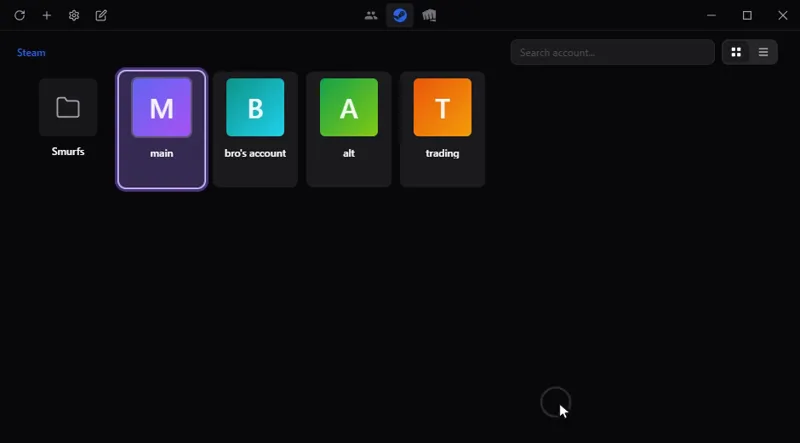
Switch between your game accounts in one click, with no password stored: Steam, Riot, Battle.net, Epic and more. On Windows, macOS and Linux.
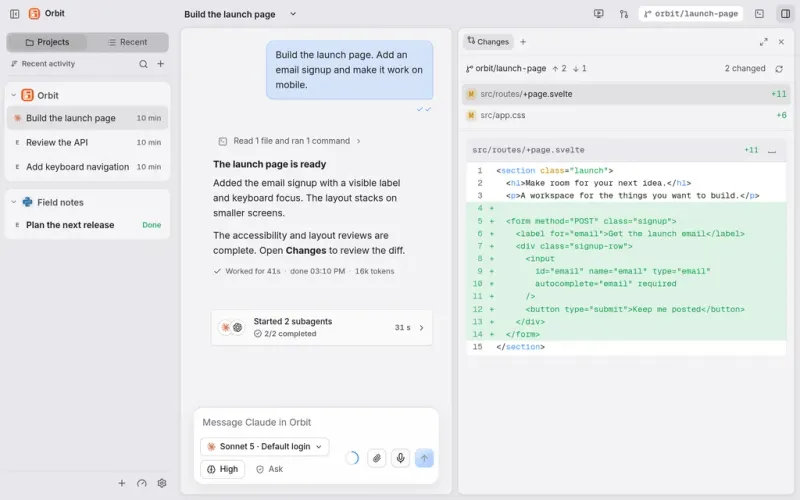
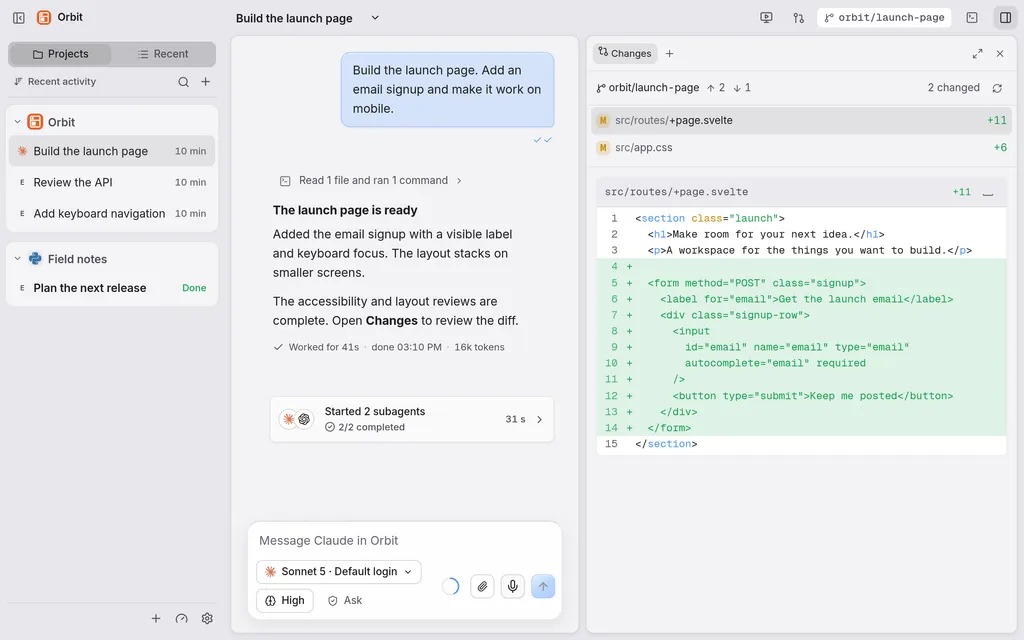
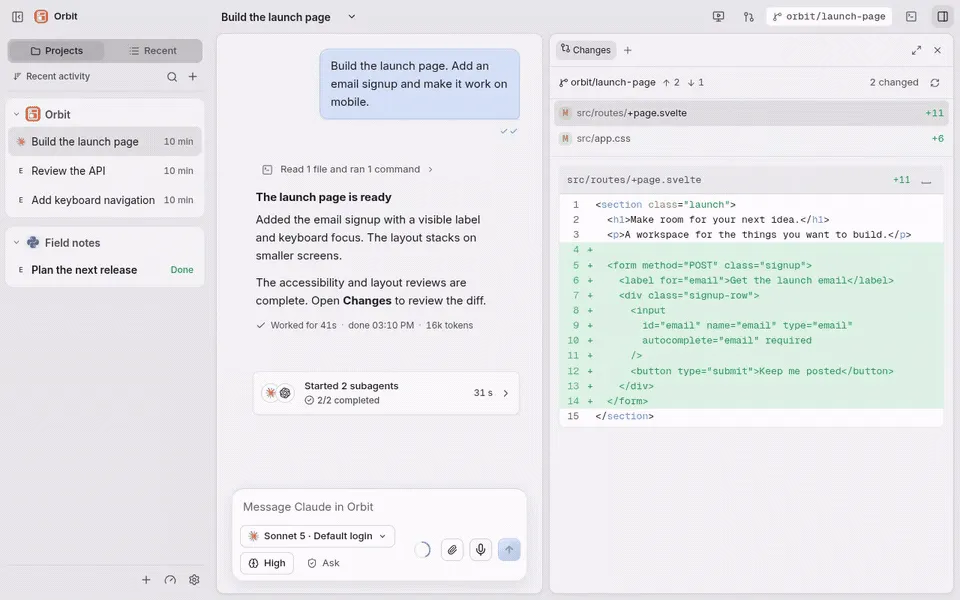
All your work and your AI agents in one place: Claude Code, Codex and others in a single chat window, on your computer and from your phone.
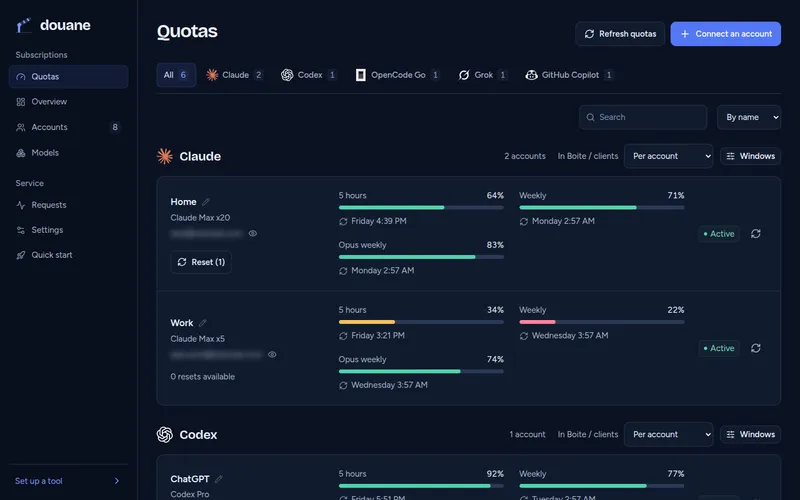
For developers: use all your AI subscriptions in any coding tool through one server you host, which watches each account's quota.
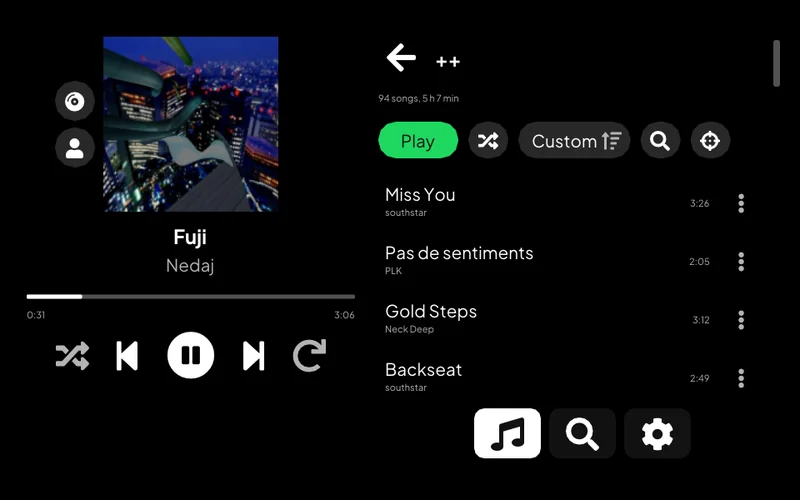
Listen to Spotify on a PS Vita: your library, search, artist pages and Spotify Connect.
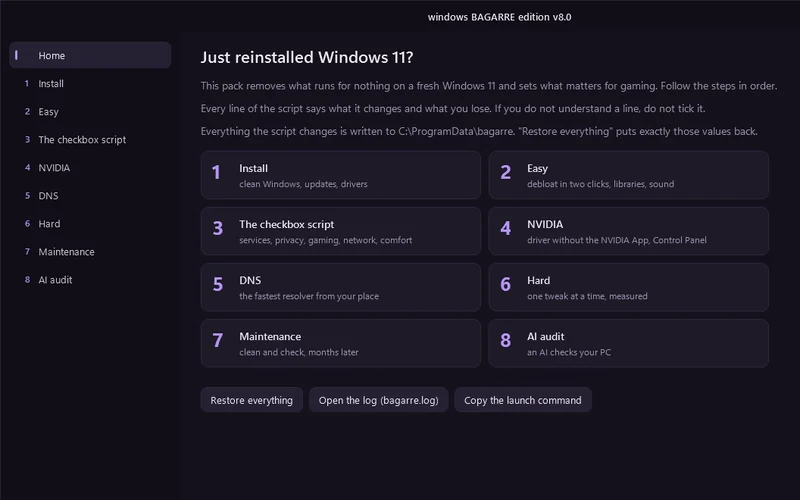
One window that cleans up a fresh Windows 11 install and tunes it for gaming.
For developers: pick which AI coding assistant to launch, with which service and model, from one terminal menu, or let a roulette choose.
Lets an AI assistant work on a remote computer: run commands, move files, take screenshots.
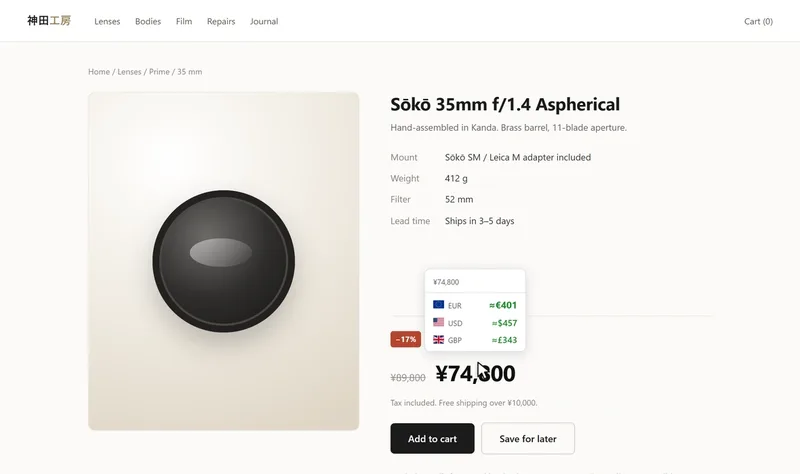
See a price on a web page in another currency or in crypto: on hover, on a selection or right in the page. Chrome and Firefox.
Control a Meian home alarm from an Android phone, by SMS.
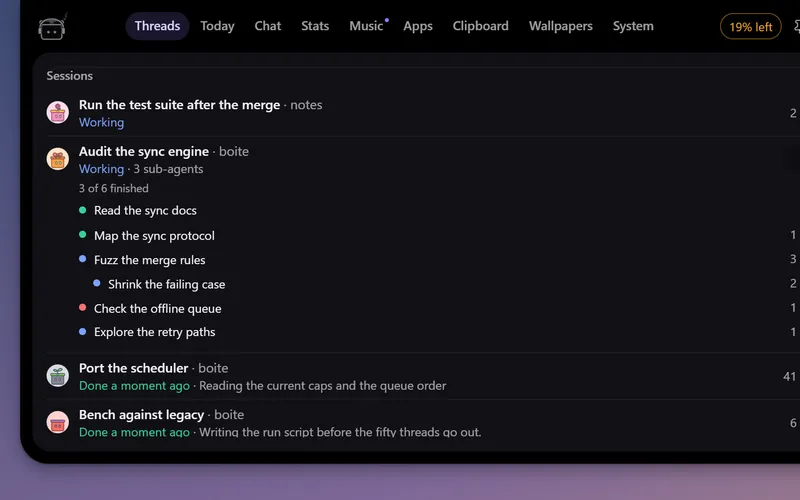
A little robot at the top of your screen that watches your Boite agents, tells you when one needs you and lets you answer without opening Boite.
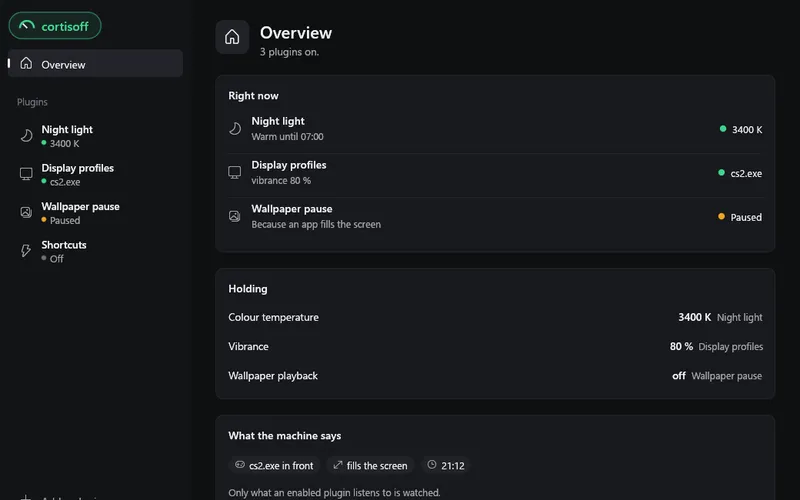
Small plugins for your desktop: a night light in the evening, a refresh rate and vibrance for each game, shortcuts. On Windows, Linux and macOS.
desktop app
All your work and your AI agents in one place: Claude Code, Codex and others in a single chat window, on your computer and from your phone.
Download · Documentation · Self-host
boite is a desktop app and self-hosted server for coding agents. Run Claude Code, Codex or another supported agent with your existing accounts.
Boite is open source and in beta. Desktop builds are available for Windows, macOS and Linux, including Apple Silicon and Linux ARM64.
See installation and platform notes, phone pairing or the self-hosting guide. Nightly releases use the same projects and accounts as the regular channel; desktop updates explains switching between them.
The app uses a Bun core, Svelte 5 and a Tauri 2 desktop shell.
Install the Bun version in package.json, then explore the UI with sample data:
bun install --frozen-lockfile
bun run dev:ui
Open the local URL with ?fake=1 to try it without agent calls.
Contributing covers checks;
development covers the real core and desktop builds.
Thanks to T3 Code for the inspiration behind boite. We definitely took stuff from there, shoutout to them!
This project also follows Boite Legacy, the earlier terminal-based app.
MIT. Copyright © 2026 boite contributors.